🎚️ MixDesk X — Free · macOS & Windows

The mixing console for your computer's audio. Free.

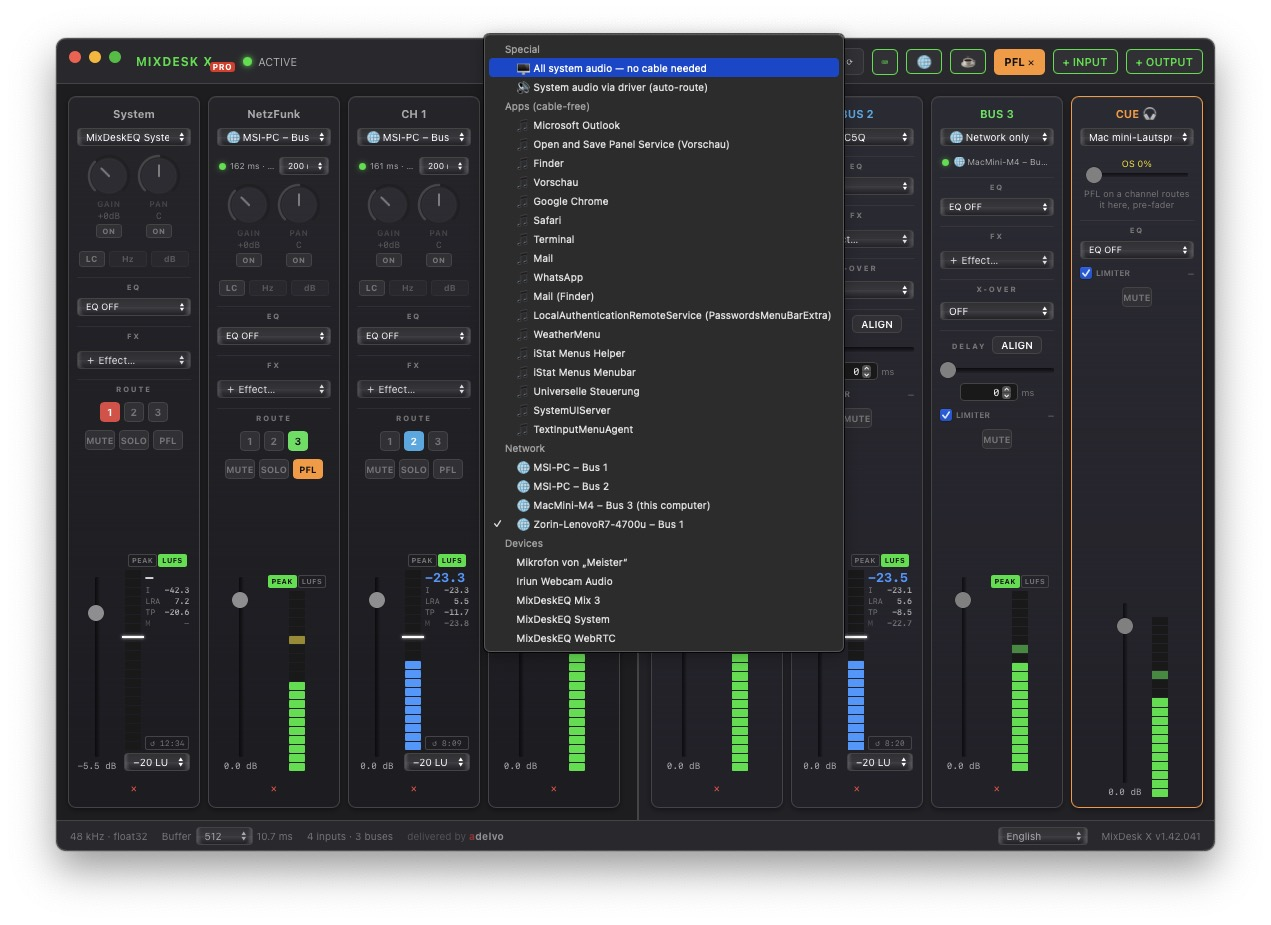
Input strips on the left, output buses on the right — the whole signal path visible at once. Route any source to up to 4 outputs, capture system or per-app audio cable-free, EQ everything, sync your speakers, and chain studio-grade CLAP effects.

Free — no account macOS & Windows 48 kHz float32 128–2048 buffer Up to 4 stereo outs CLAP host
MixDesk X mixer — system audio, Firefox and Brave as separate input channels routed to two output buses
$0
Forever — no Pro tier
4
Stereo Outputs (max)
11
EQ Bands (max)
~400
Free CLAP Effects
9
UI Languages

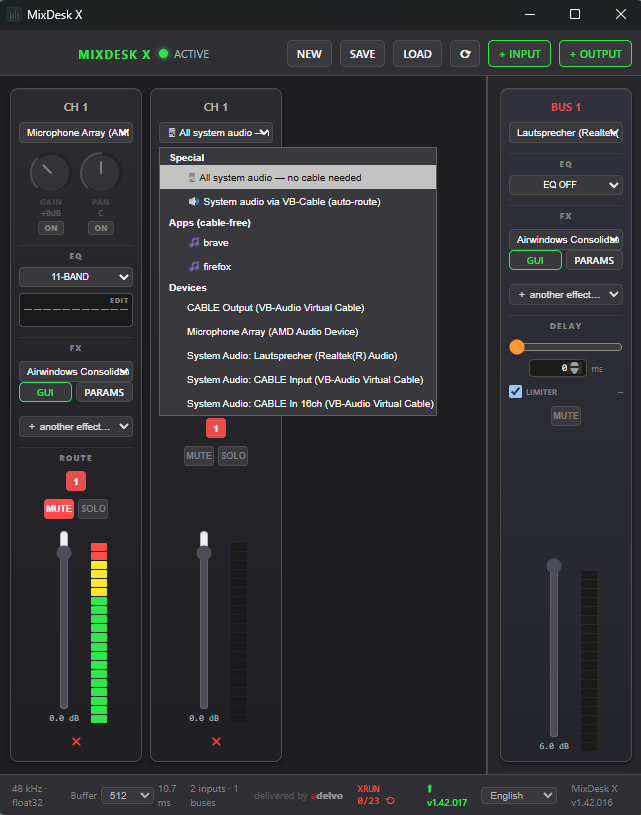
System audio. Single apps. No virtual cable, no driver.

Grab everything your computer plays — or just one app — as its own channel strip. MixDesk X excludes its own output automatically, so capturing can never feed back.

🖥️

All System Audio cable-free

One click captures everything playing on your machine — minus MixDesk X itself. Windows 10 2004+ via WASAPI Process Loopback (the same API OBS uses), macOS 13+ via ScreenCaptureKit.

🎵

Single Apps cable-free

Spotify, a browser, a game, Discord — each app becomes its own channel with EQ and effects. Mute the game, EQ the music, keep the call clean.

🎙️

Any Device

Mics, USB interfaces, webcam audio, line-in, loopback devices — everything CoreAudio or WASAPI can see becomes an input strip.

MixDesk X input picker — all system audio no cable needed, per-app capture, classic devices
The input picker on Windows: system audio and per-app capture without any virtual cable — real devices below

Up to 4 stereo outputs. Each with EQ, delay & limiter.

Every bus drives its own device. Every input routes to any combination of buses with one click. Each bus has its own EQ, CLAP effect chain, 0–1000 ms delay, and a transparent safety limiter with gain-reduction metering.

Bus 1
Main speakers, studio monitors — your primary output
Bus 2
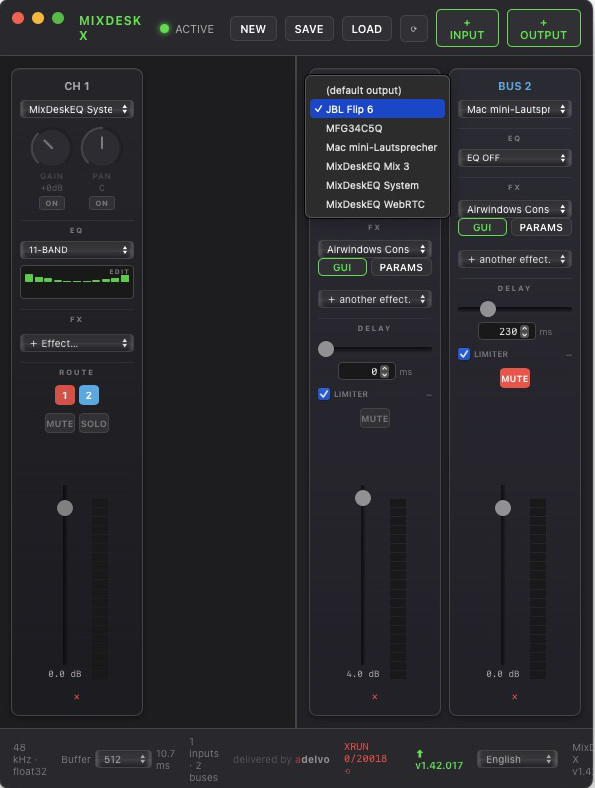
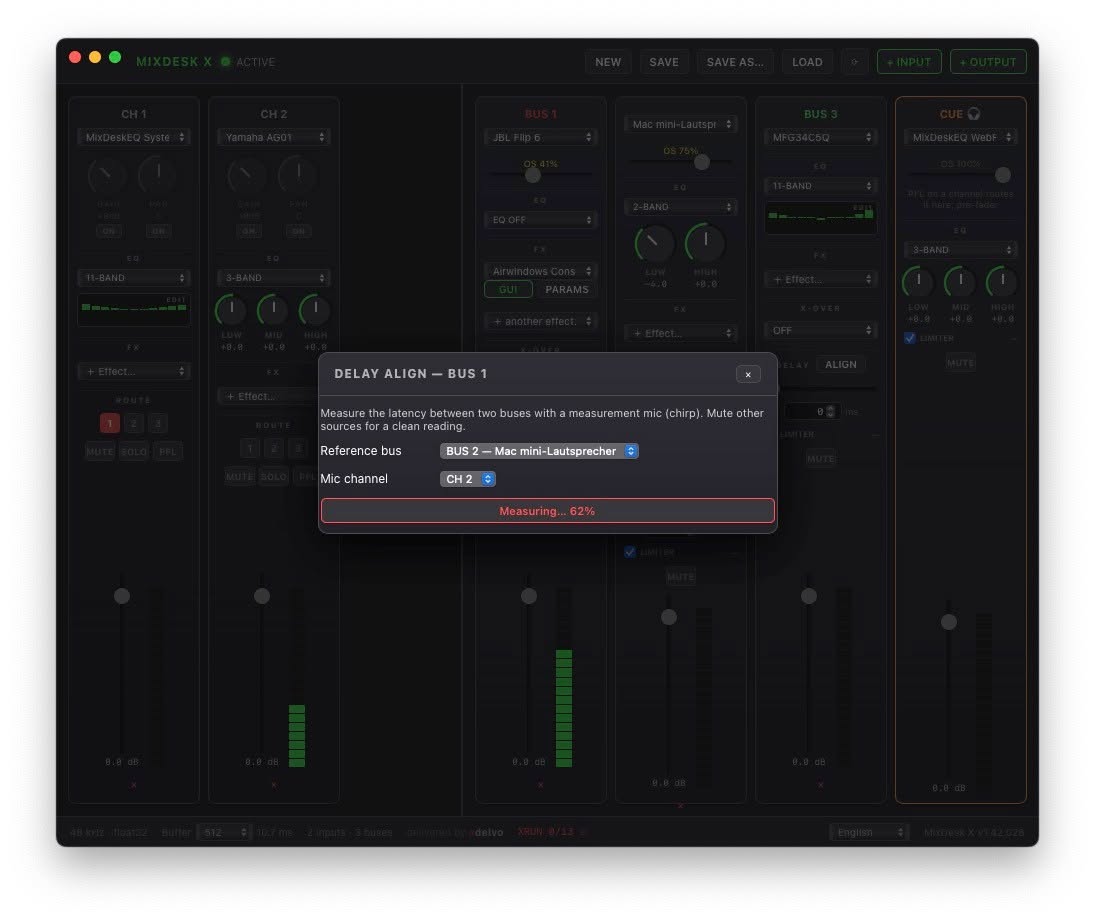
Bluetooth speaker — delayed to stay in sync with the wired pair
Bus 3
Virtual cable → Discord, Zoom, OBS pick it up as a mic
Bus 4
Recording, headphones, confidence feed
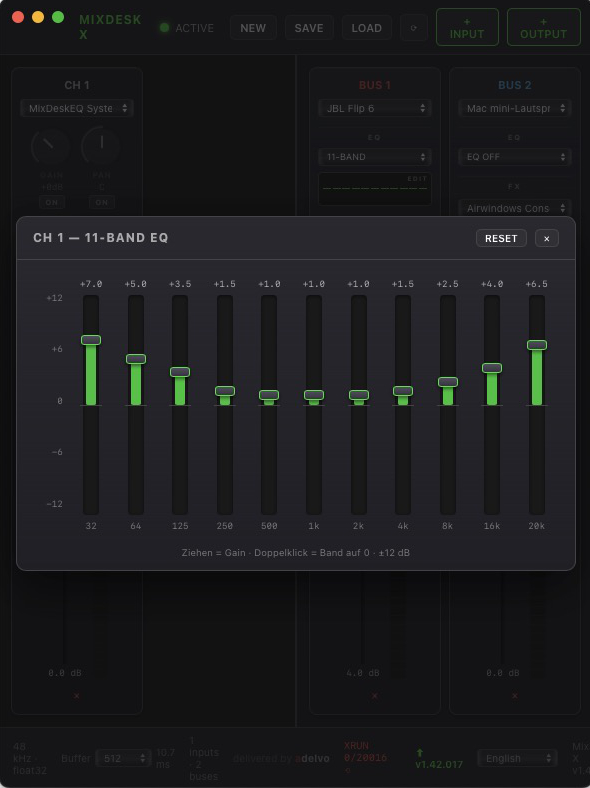
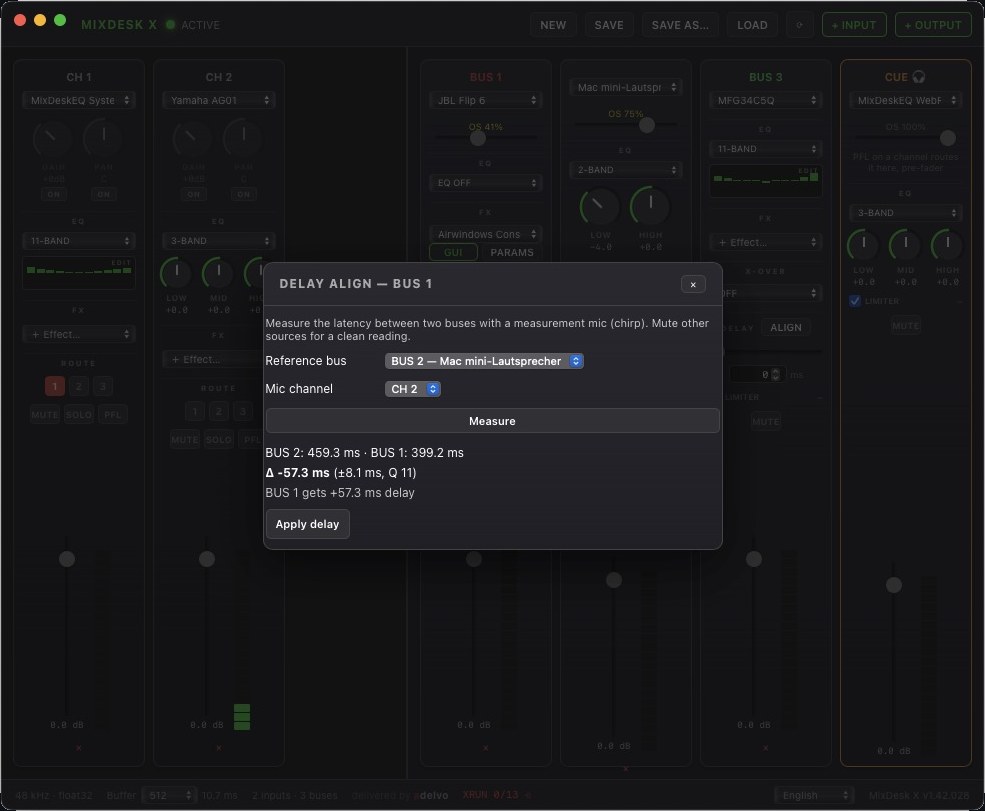
MixDesk X on macOS — Bluetooth speaker and wired speakers synced with 230 ms bus delay MixDesk X 11-band graphic EQ editor
Bluetooth + wired speakers playing in sync via 230 ms bus delay — 11-band graphic EQ editor

A real CLAP plugin host in every strip.

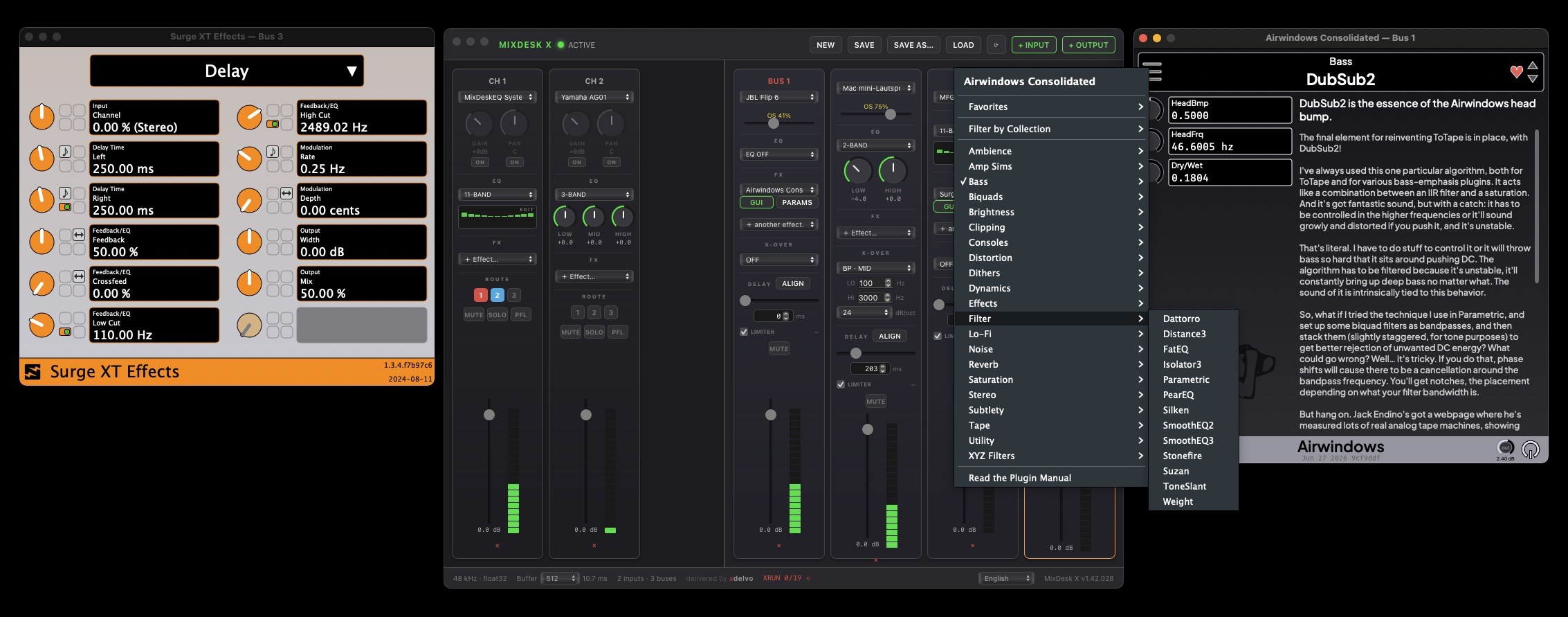
Every input and every bus has an insert chain for CLAP plugins — the modern open plugin standard. Stack as many as you like, open the plugin's native GUI, and your tuned chains come back with every preset.

🎛️ Effect Chains

Multiple slots per strip, each its own plugin instance. Native plugin GUIs or the built-in generic parameter editor. Plugin state is saved inside your presets.

🎁 ~400 Free Effects

No plugins installed? One click inside MixDesk X installs the free Airwindows Consolidated pack — EQs, compressors, tape, reverbs and more by Chris Johnson.

📊 Per-Strip Processing

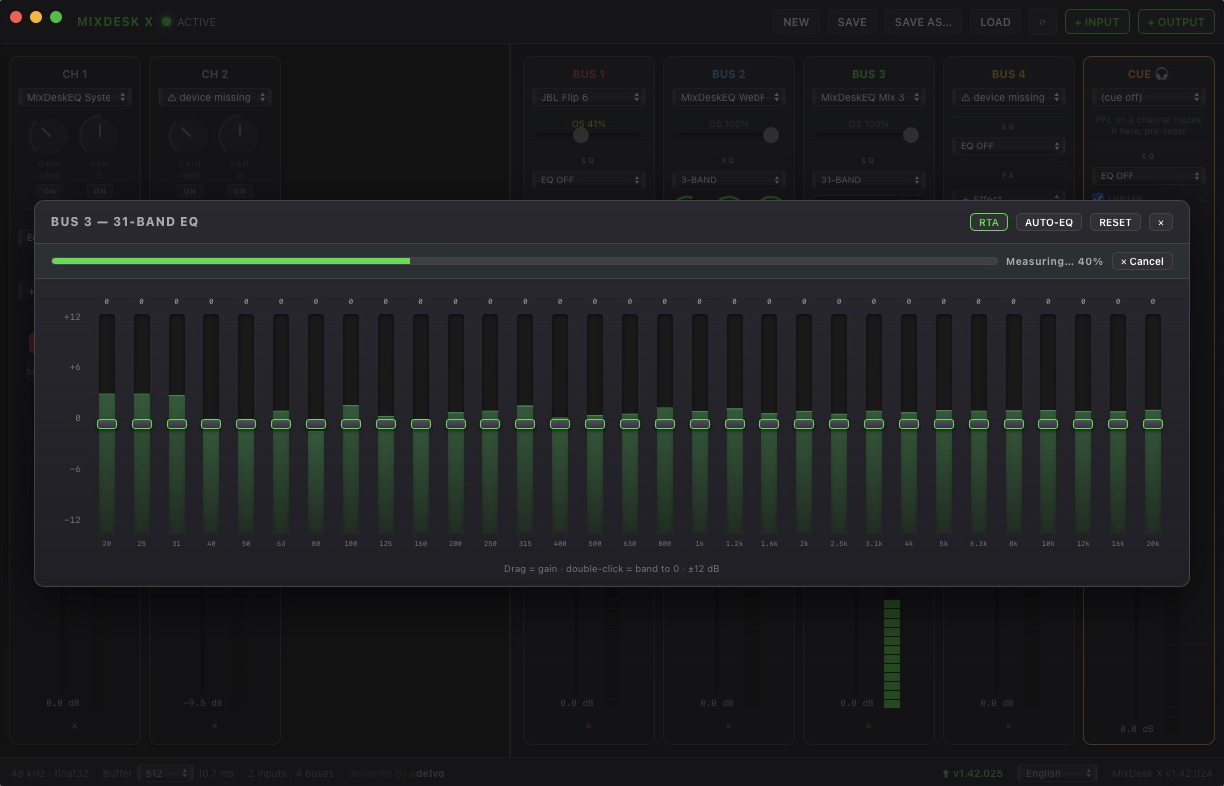
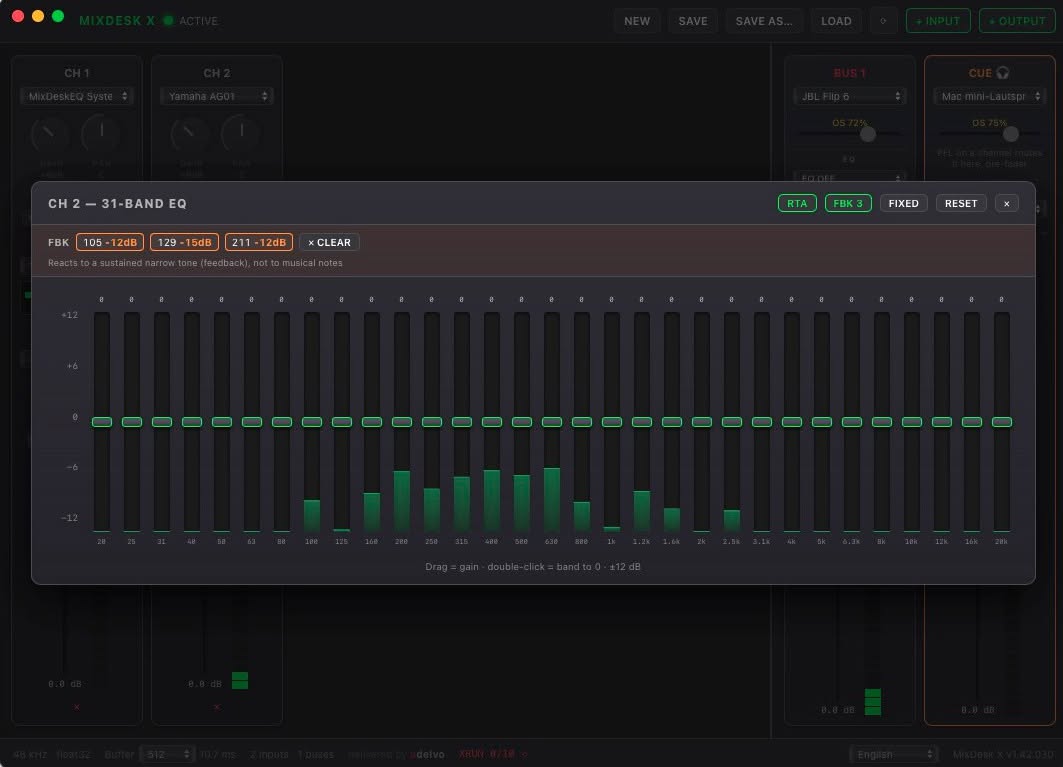
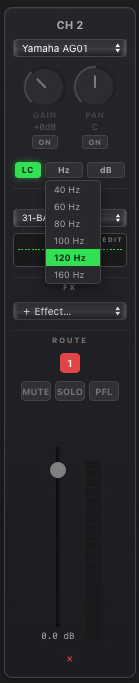
Gain, constant-power pan, 2/3/11-band EQ, mute/solo, precision faders with VU metering — on every input. EQ, delay and safety limiter on every bus.

Airwindows Consolidated CLAP plugin with native GUI open on a MixDesk X bus
Airwindows Consolidated running on Bus 1 with its native GUI — one click installs the whole pack

Built for real workflows. Runs 24/7.

MixDesk X is the app its developer runs around the clock on both platforms — float32 end to end, maximum-quality sample-rate conversion, automatic stream recovery when devices vanish or glitch.

🔊

EQ Your Whole System

Capture all system audio cable-free, EQ it, and play it to your speakers — laptop speakers suddenly sound like they should. Per-bus EQ tailors every output device separately.

🎧

Bluetooth + Wired in Sync

Per-bus delay (0–1000 ms) lines up a Bluetooth speaker with wired speakers playing the same source — multi-room sound without the echo.

🎙️

Studio Mic for Calls

EQ and compress your mic with CLAP effects, send the bus to a free virtual cable, and Discord, Zoom or OBS pick it up as a microphone.

🎬

Streaming Submixes

Game, music, voice — each on its own channel. Send a clean submix to the encoder while monitoring a different mix in your headphones.

Everything included. Actually free.

MixDesk X

macOS (Apple Silicon) · Windows 10/11 (x64 & ARM64)
Free no account · no ads · no Pro tier
  • Cable-free system & per-app audio capture (both platforms)
  • Unlimited input channels → up to 4 stereo output buses
  • 2/3/11-band EQ on every input & output
  • CLAP effect chains with native plugin GUIs + free Airwindows pack
  • Per-bus delay 0–1000 ms (Bluetooth sync) & safety limiter
  • Gain, pan, faders, mute/solo, VU metering
  • Presets — the last one loads automatically at startup
  • 48 kHz / float32 engine · buffer 128–2048 · auto stream recovery
  • Tray / menu bar app · 9 UI languages · in-app update check
  • Signed & notarized (macOS) · signed (Windows)

Version — hosted on GitHub · portable Windows EXEs on the release page

🆓 For mic → Discord/Zoom/OBS routing: free multi-device BlackHole installer (macOS) or VB-Cable (Windows)

Coming from MDE — Mix Desk EQ? MixDesk X is its successor and does everything it did — plus per-app capture on both platforms, CLAP effects and a Windows version. MDE keeps working; its downloads remain in the changelog.

More tools by Adelvo

MixDesk X is part of the Adelvo family of professional media tools.

Your audio, on a console. Free.

macOS & Windows · cable-free capture · CLAP effects · no account

⬇ macOSApple Silicon ⬇ Windowsx64 / ARM64
Version · GitHub