macOS 14.2+ · Free
Every app its own volume.
AppVol puts a volume slider on every macOS app, right in your menu bar — turn one app down without touching the rest. No audio driver. With real level meters.
AppVol puts a volume slider on every macOS app, right in your menu bar — turn one app down without touching the rest. No audio driver. With real level meters.
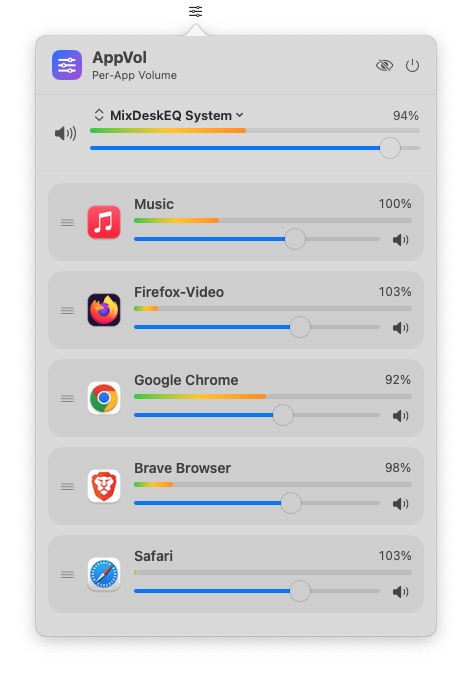
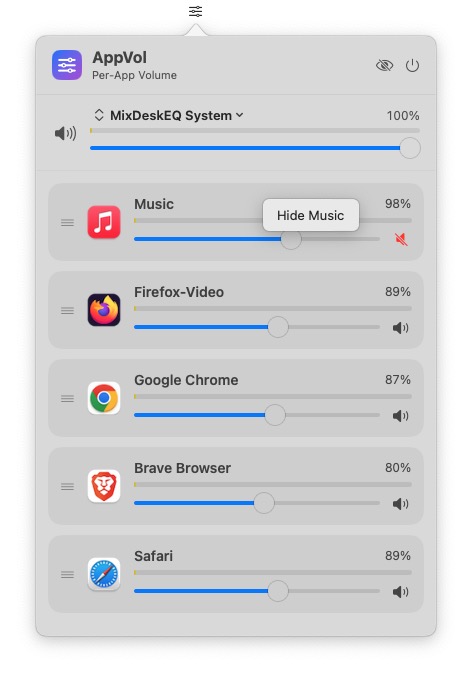
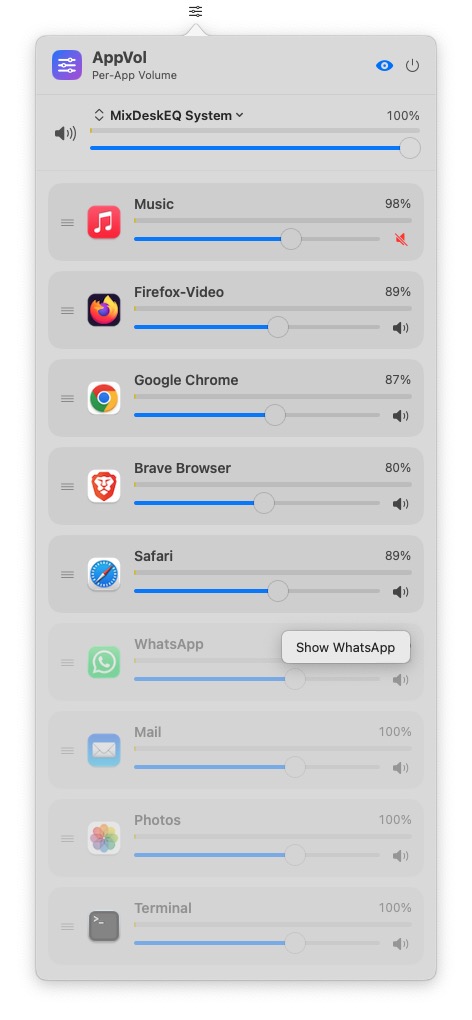
A slider (and mute) for every app that's playing — turn music down without lowering a call.
Actual level metering per app and master — not a decorative animation.
Uses Apple's Core Audio process taps (macOS 14.2+). Nothing to install into your system.
Pick your output — speakers, AirPods, an interface — right from the panel.
Right-click to hide an app; a toggle brings hidden ones back. Your list, your way.
Grab the handle and arrange apps in the order you like — it's remembered.
Set a browser once; the level reapplies automatically the next time it plays.
New versions install in-app — no manual re-download after the first time.
Per-app volume was the one piece macOS never gave you (Windows has it built in). AppVol adds it — free, like the rest of the Adelvo audio tools. Together they cover the whole chain, nothing to pay.
Free forever. Signed & notarized. macOS 14.2 or later.