Adelvo
← Directors Plan ← adelvo.io
DP Light Mode · Sports Plan

Directors Plan — Demo Gallery

Browse Screenshots of Directors Plan for vMix in Light Mode with a Sports Plan loaded.

01

Timeline & Playback
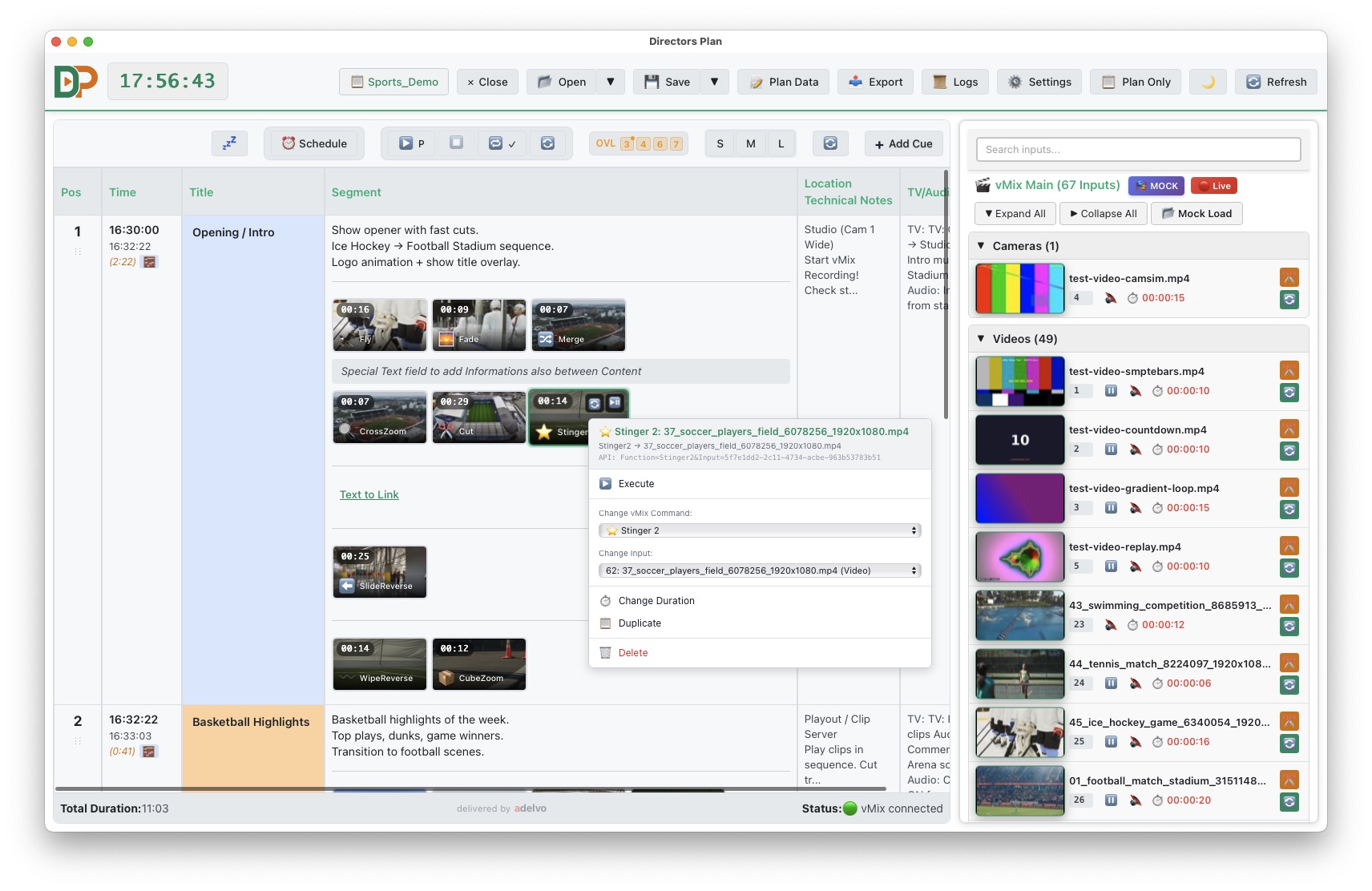
Timeline in Mock Mode with vMix sidebar drag and drop
01Timeline (Mock Mode) — vMix sidebar with drag & drop into the plan, thumbnails, color-coding
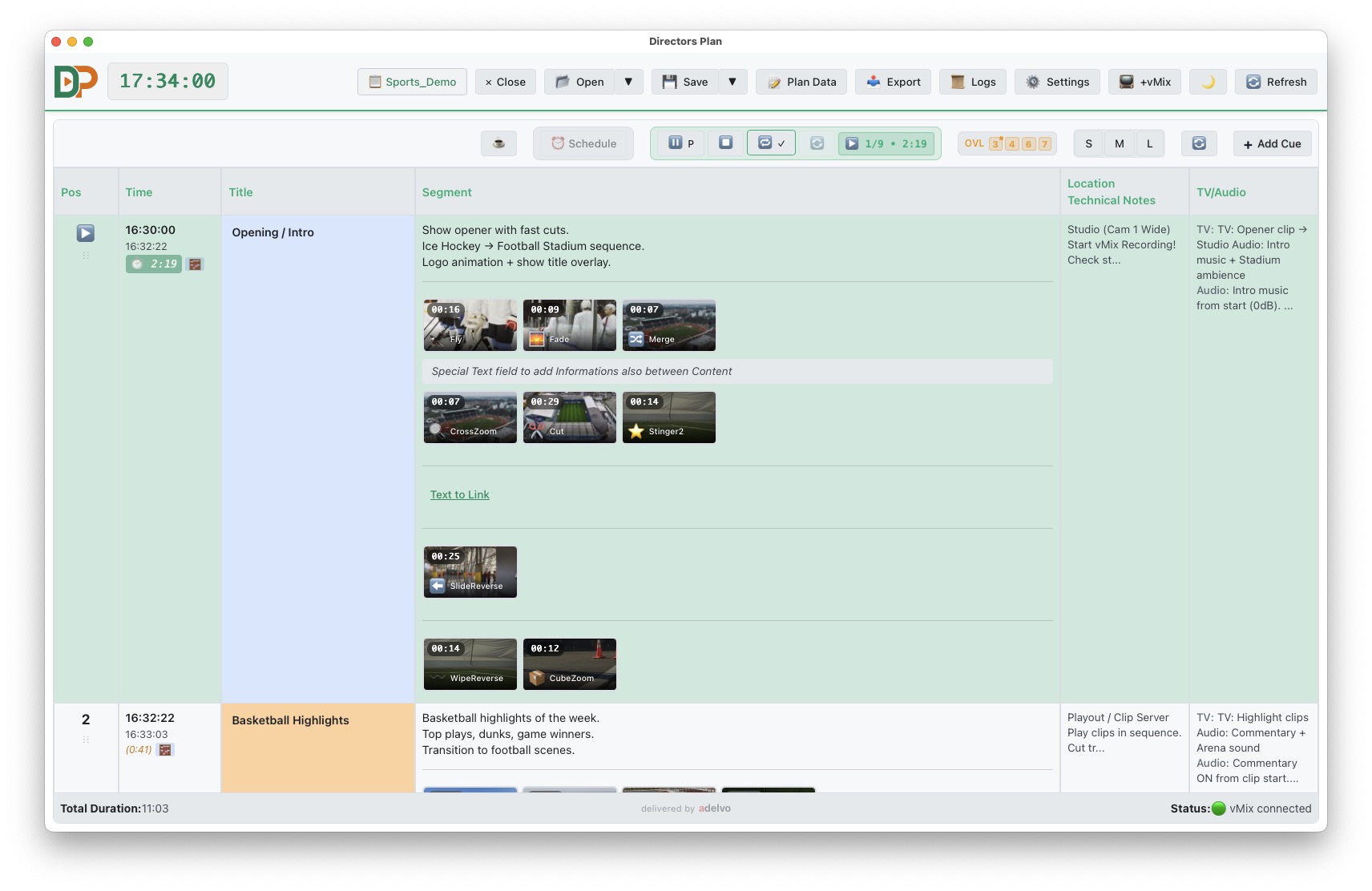
Play Mode with automated playback
02Play Mode — automated playback with countdown and progress
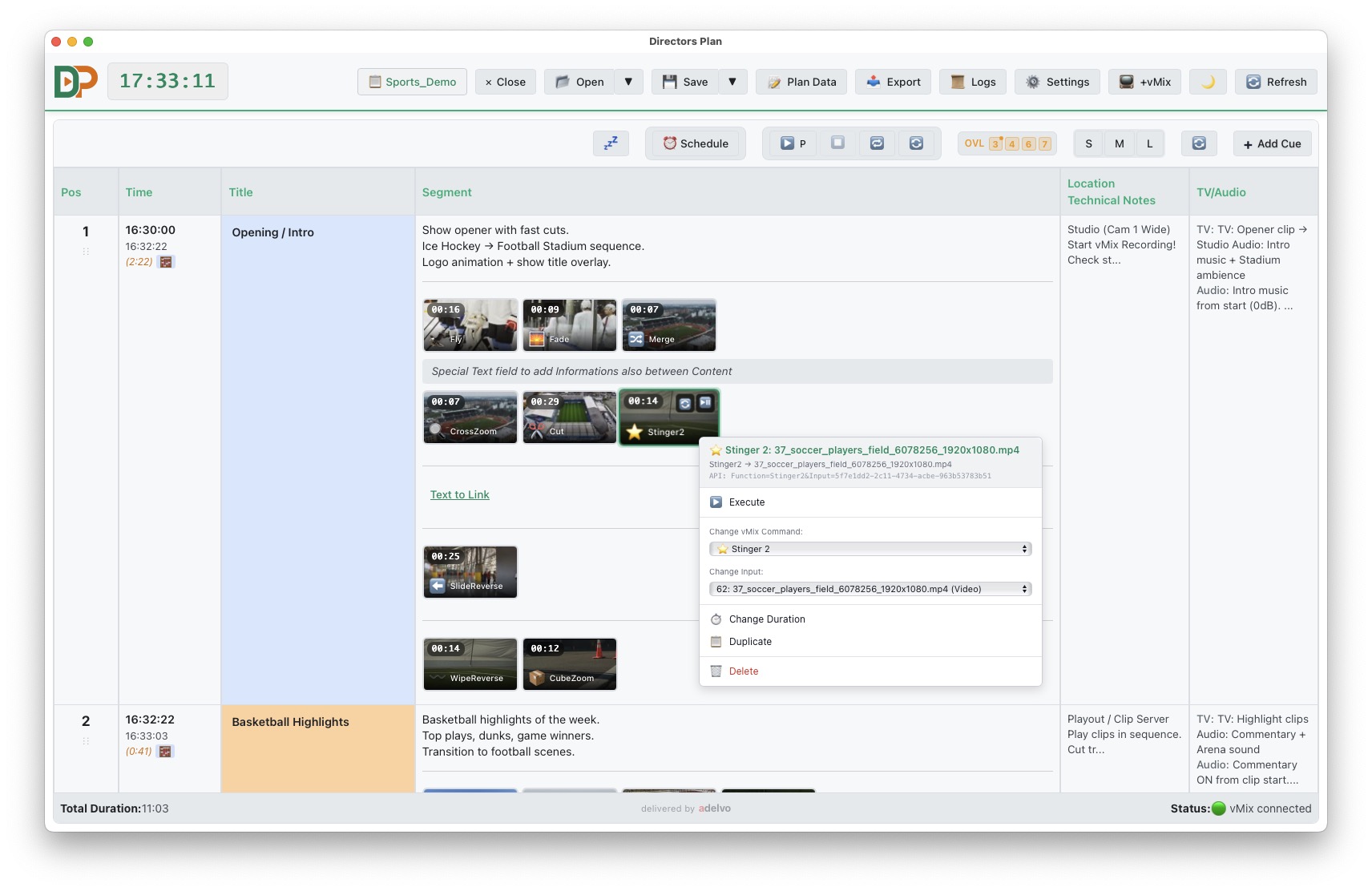
Timeline with right-click menu and thumbnail action overlays
03Timeline — right-click menu, thumbnail overlays for Play/Pause, Restart and transition icon
02

Overlay Control

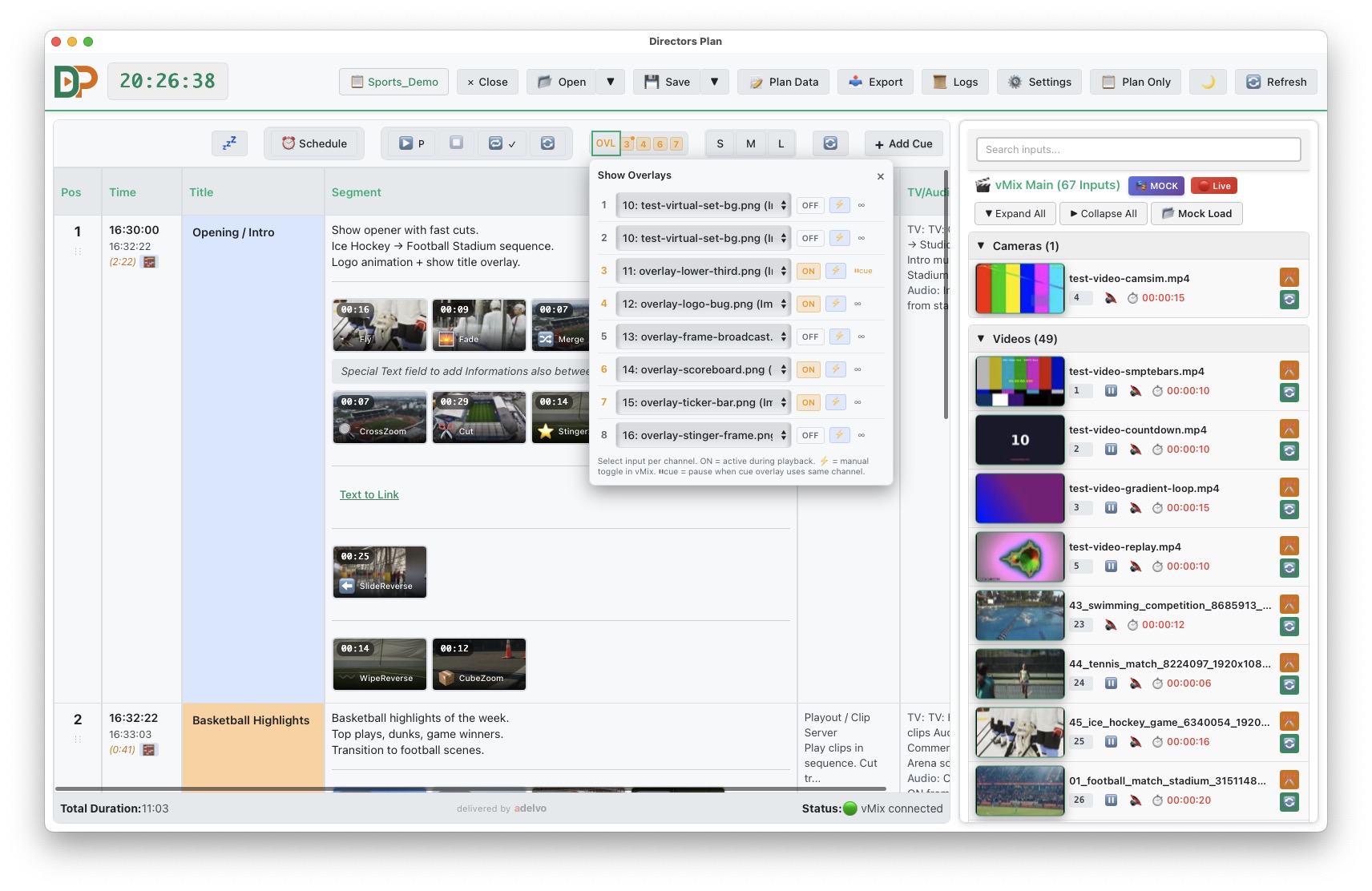
Show Overlays panel with 8 channels
04Show Overlays — 8 channels, ON/OFF, manual toggle, exclusive/additive mode
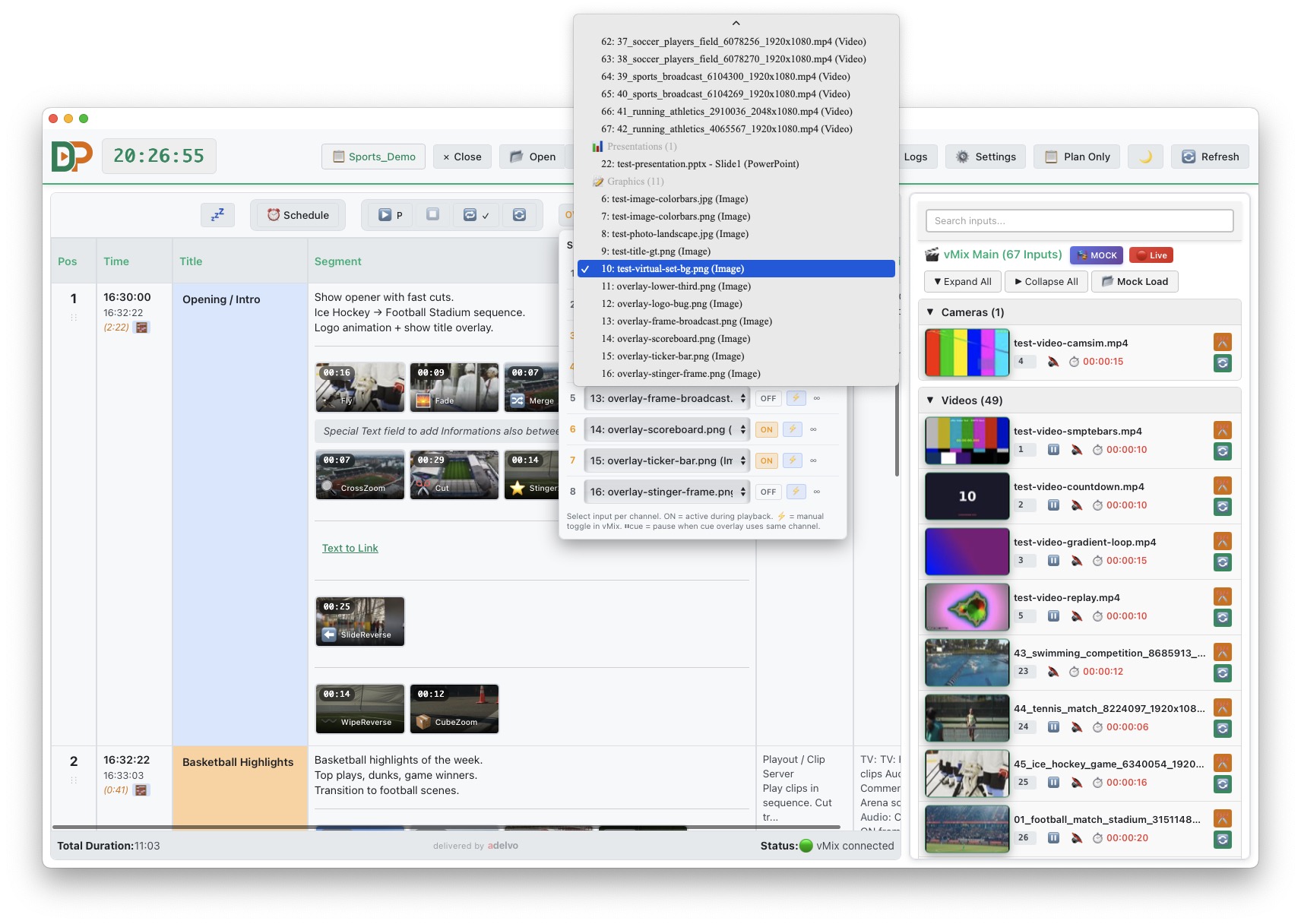
Overlay input selection dropdown
05Show Overlays — vMix input selection dropdown for channel assignment
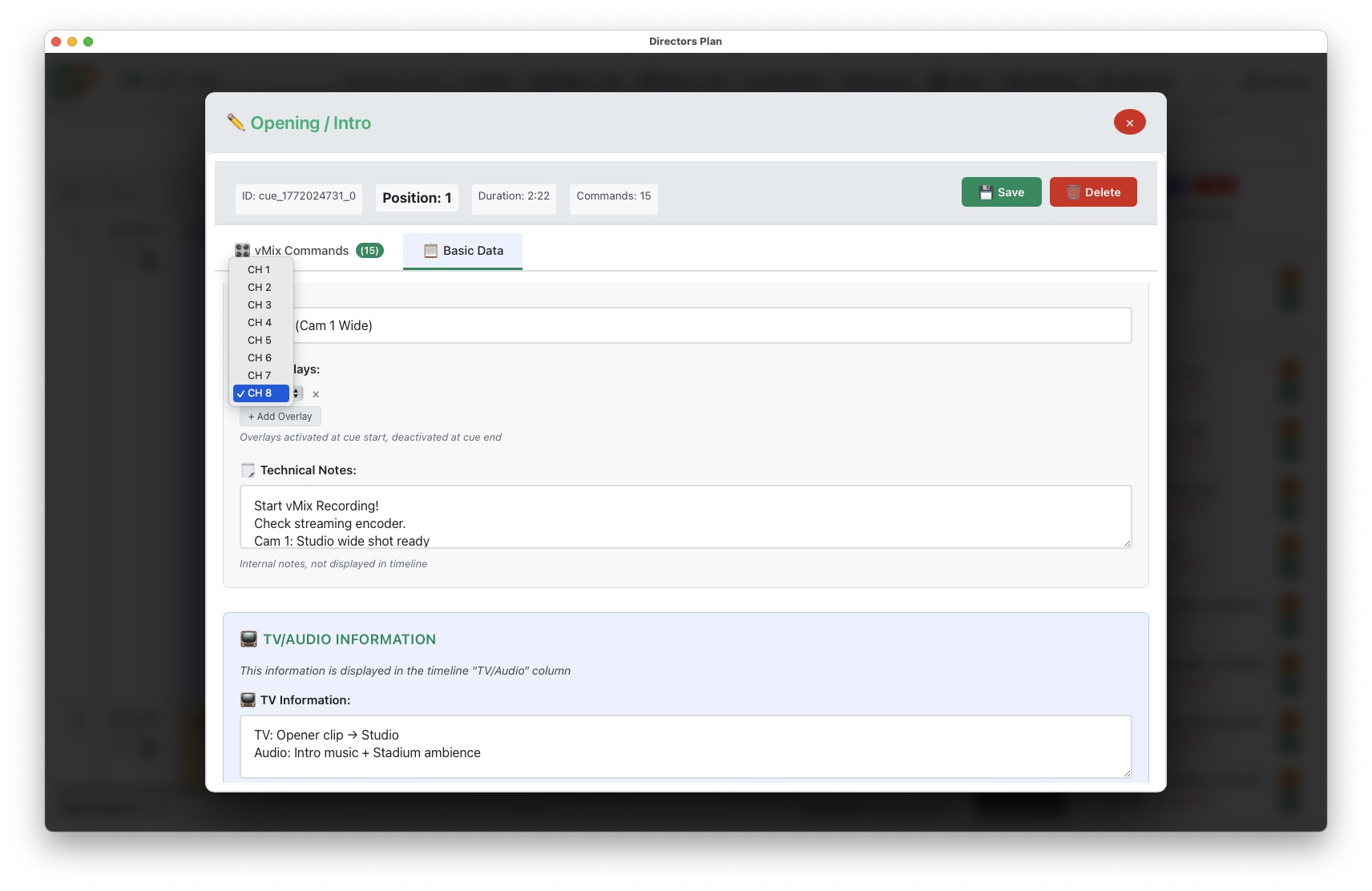
Cue Editor overlay assignment per cue
06Cue Editor — per-cue overlay, channel selection (CH 1–8), activated at cue start

03

Cue Editor & Command Editor

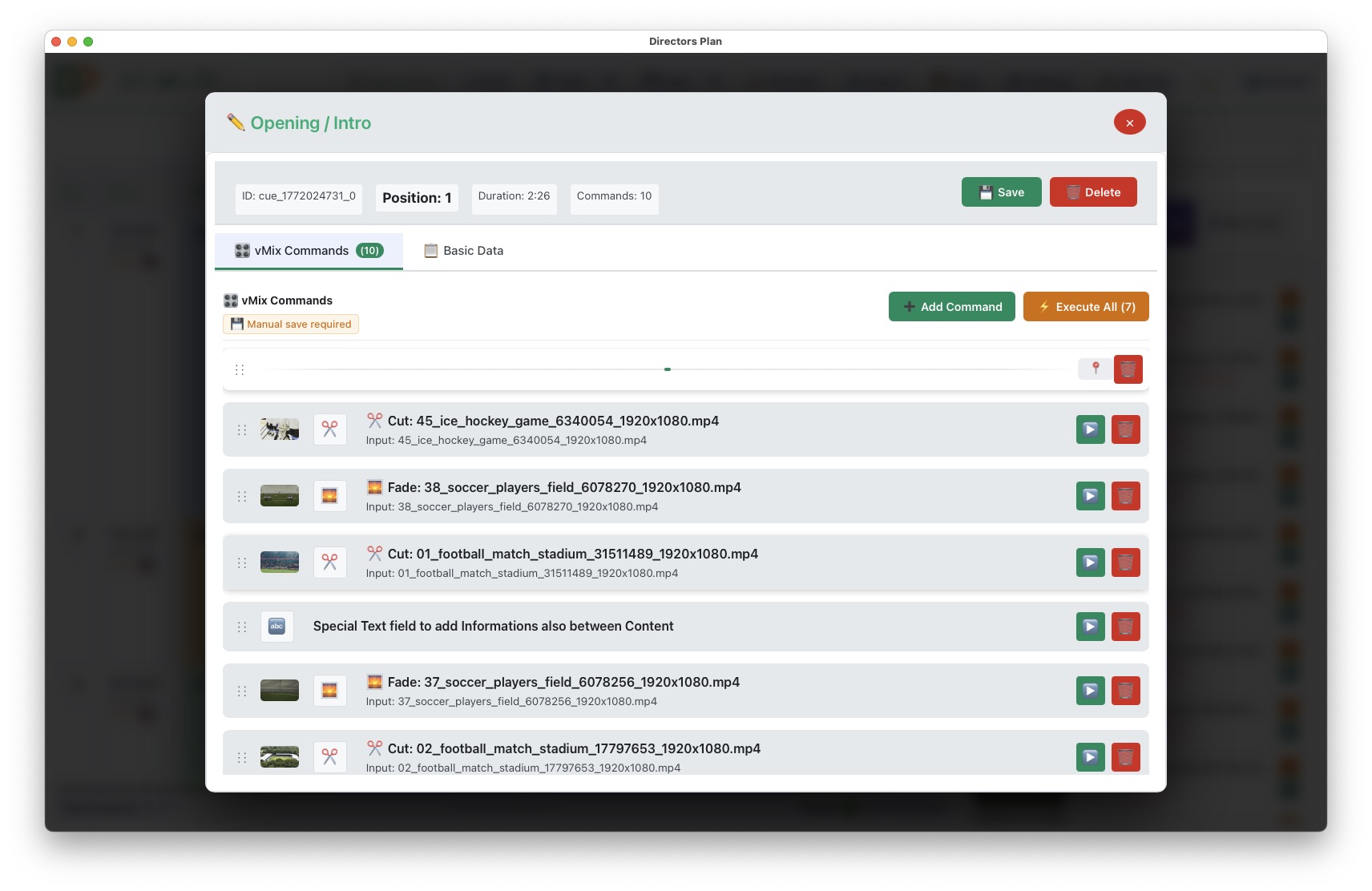
Cue Editor with vMix commands and draggable positioning
07Cue Editor — vMix commands, transitions, timing, draggable position in list
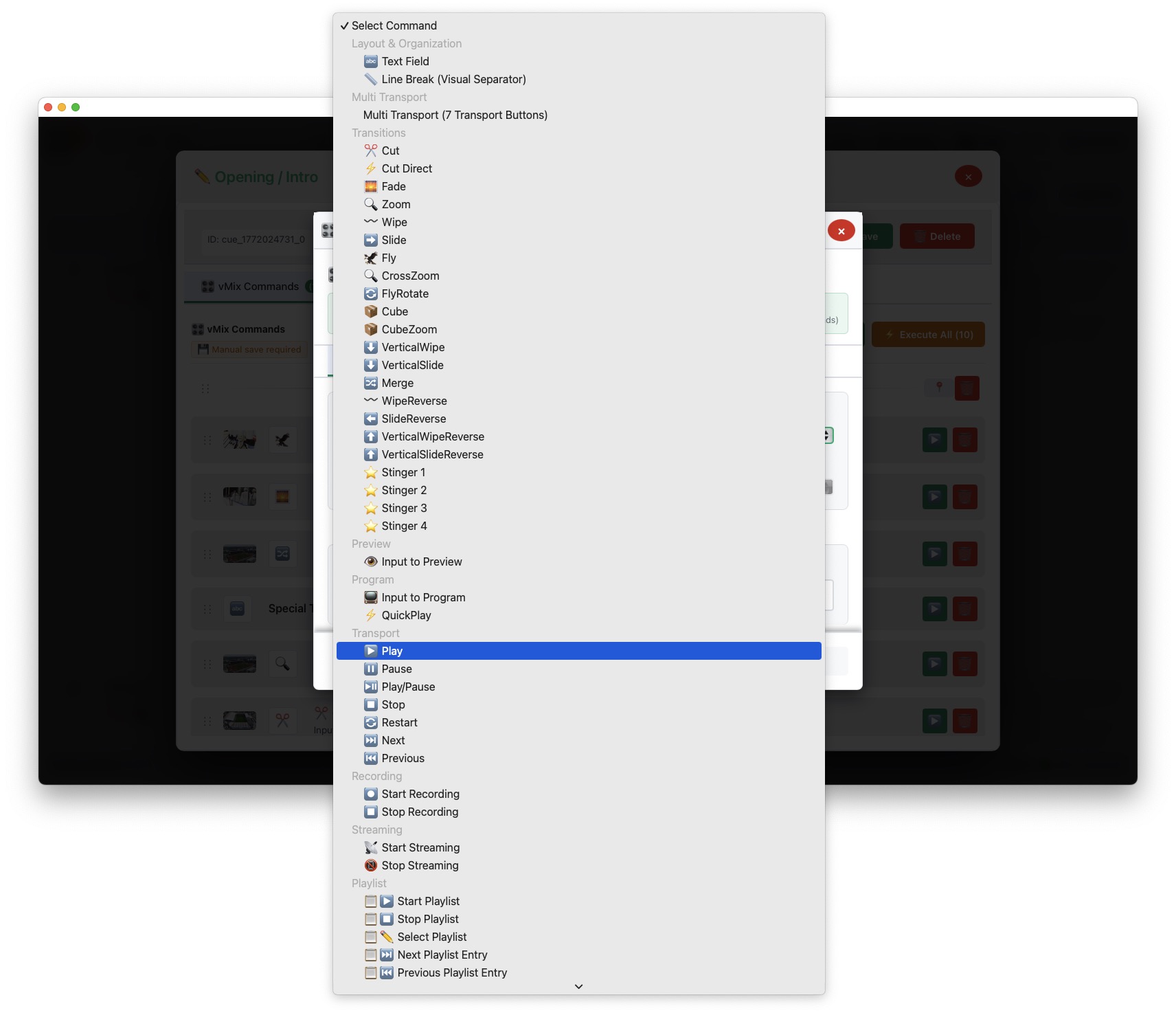
Cue Editor Add Command dropdown Part 1
08Cue Editor — Add Command dropdown, commands list (Part 1)
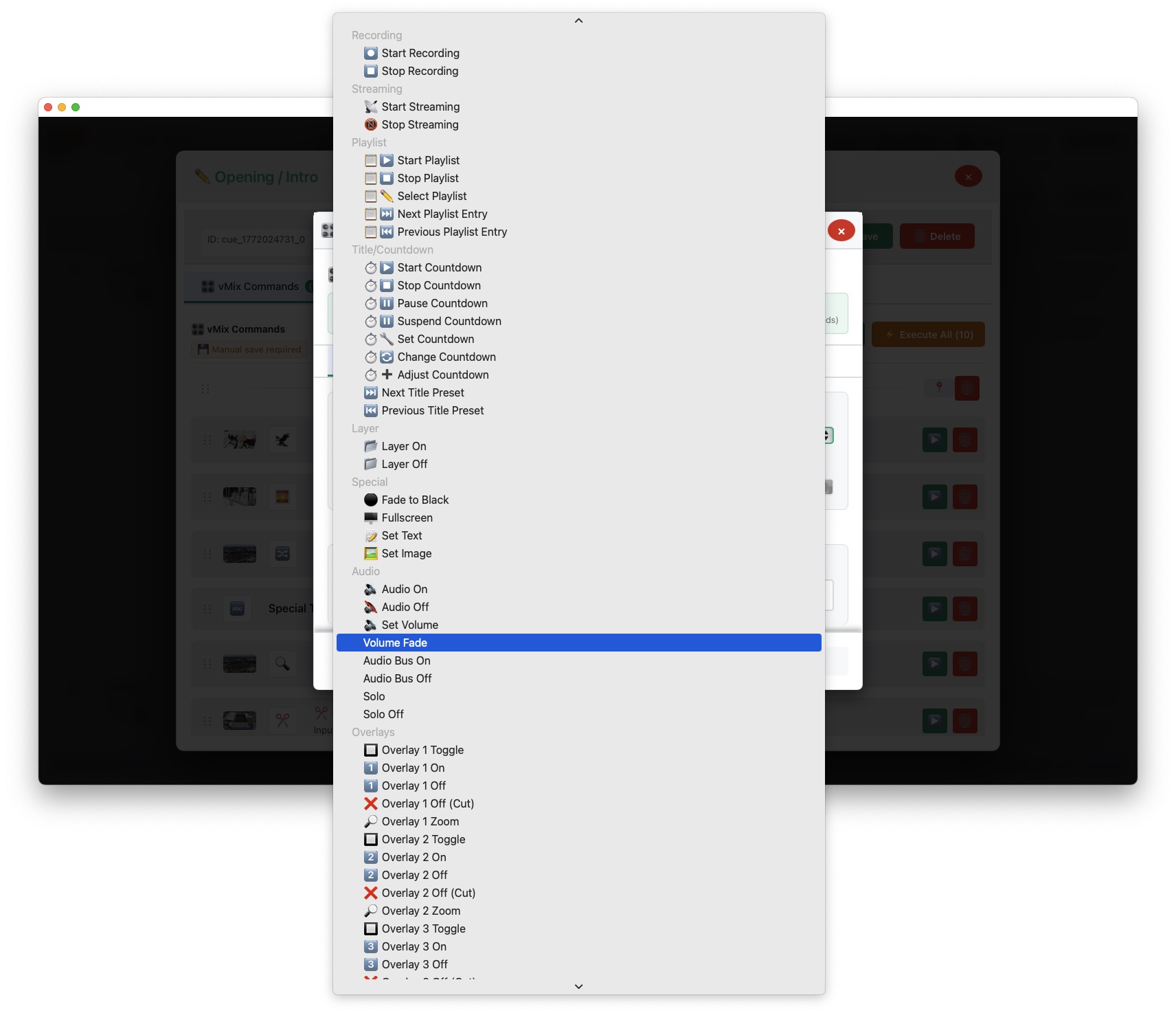
Cue Editor Add Command dropdown Part 2
09Cue Editor — Add Command dropdown, commands list (Part 2)
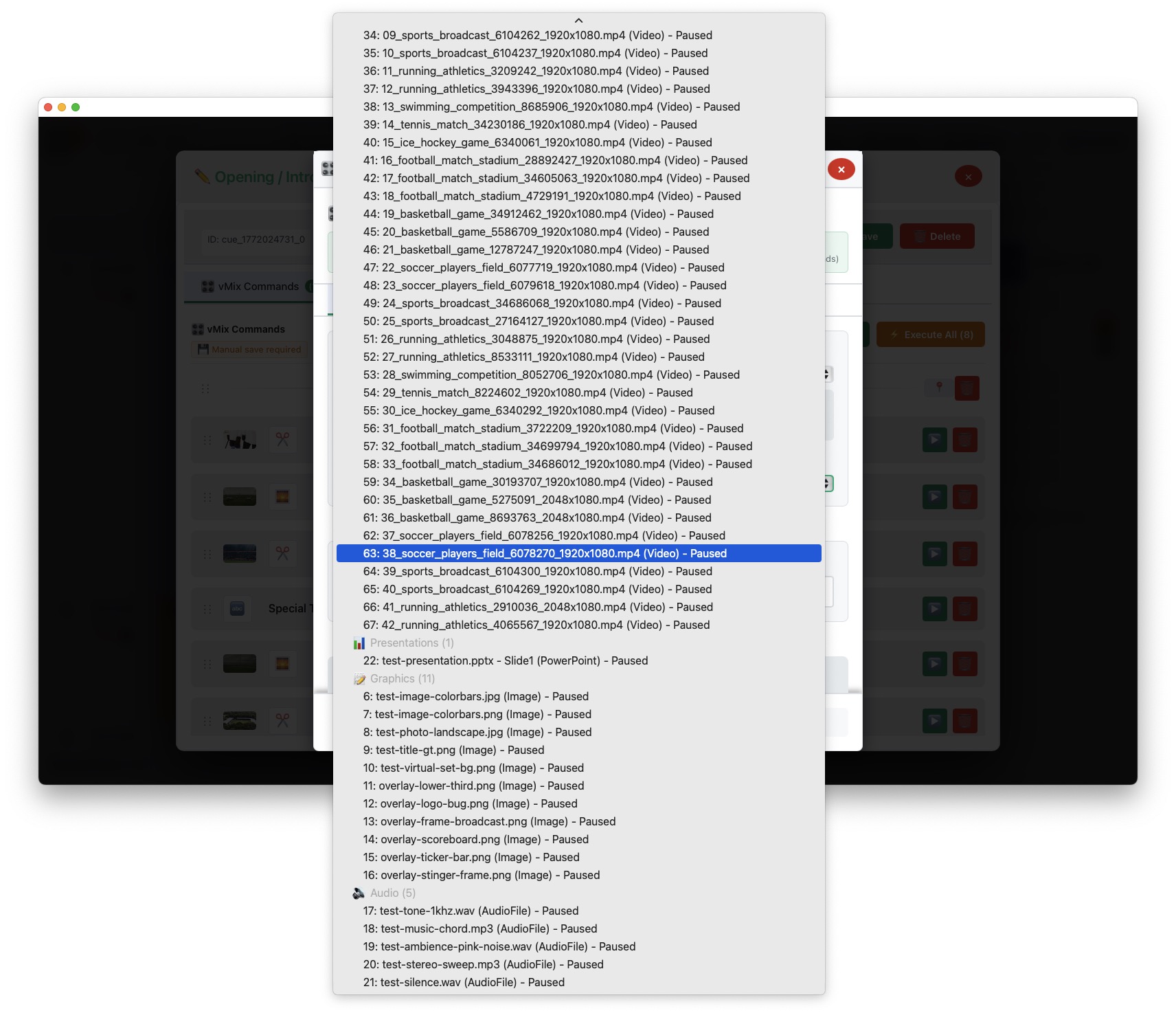
Command Builder input list sorted by type
10Command Builder — vMix input selection list, sorted by type
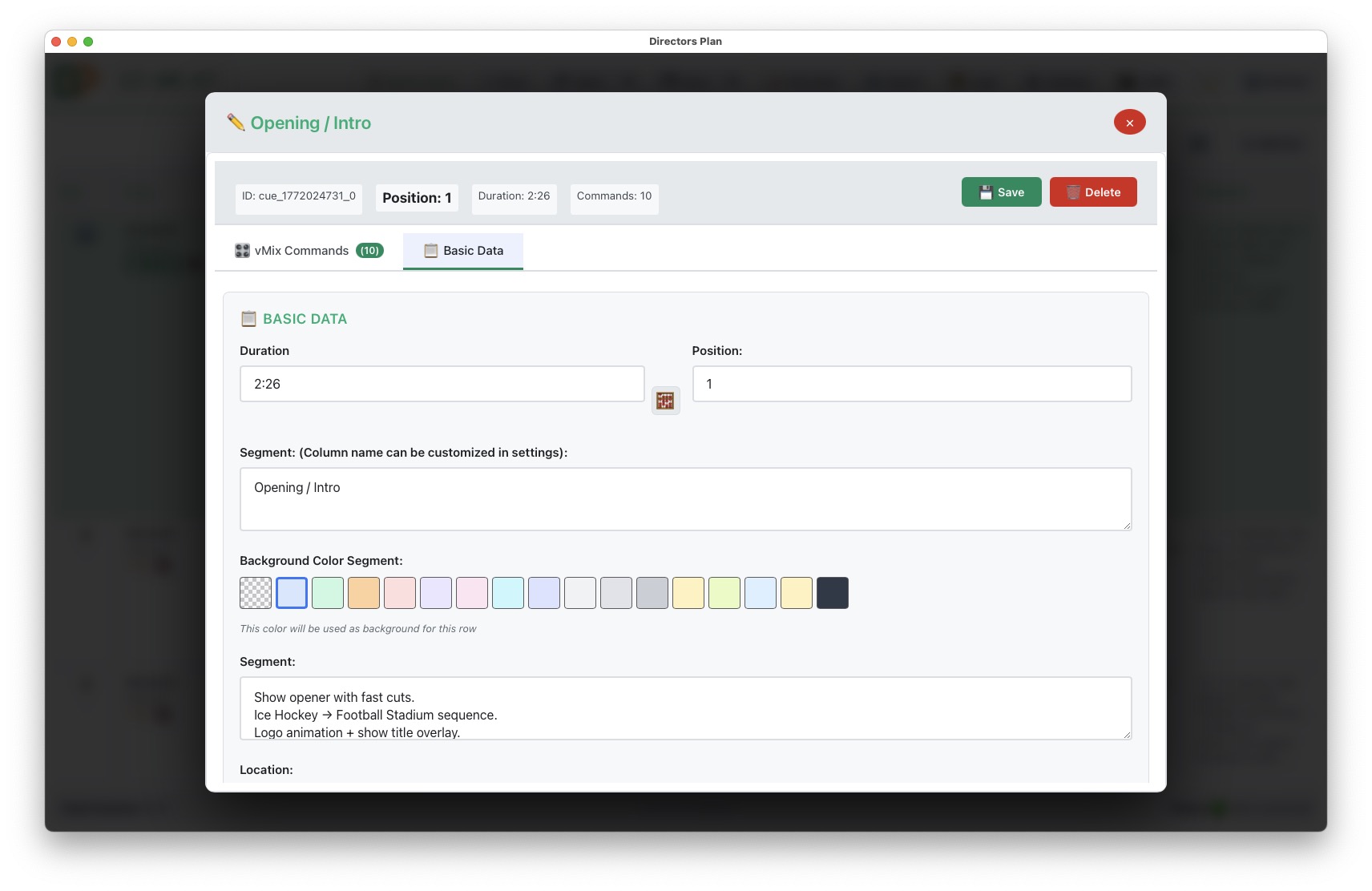
Cue Editor basic data
11Cue Editor — basic data, title, duration, notes
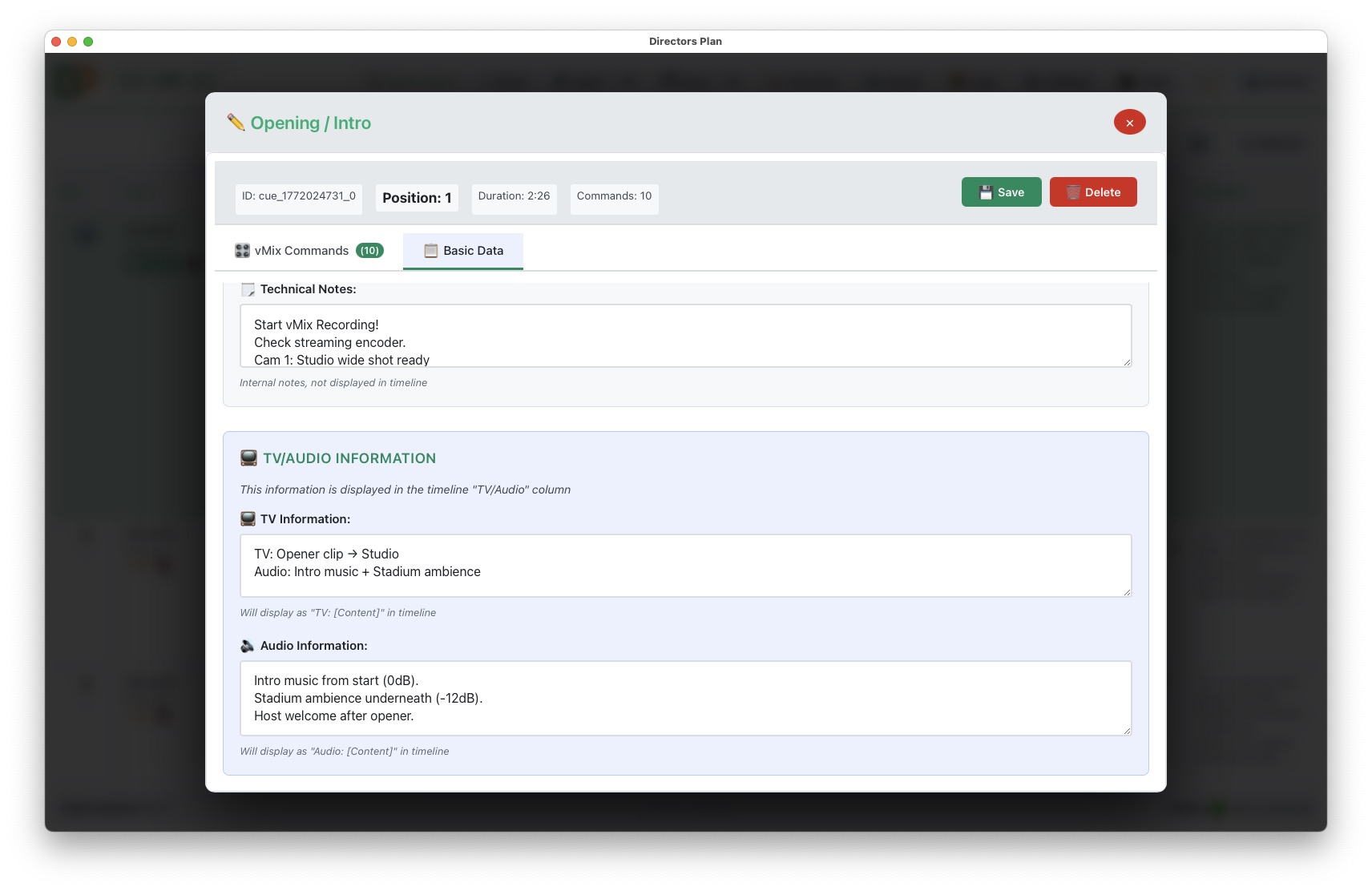
Cue Editor additional fields
12Cue Editor — additional fields, location, TV/audio notes
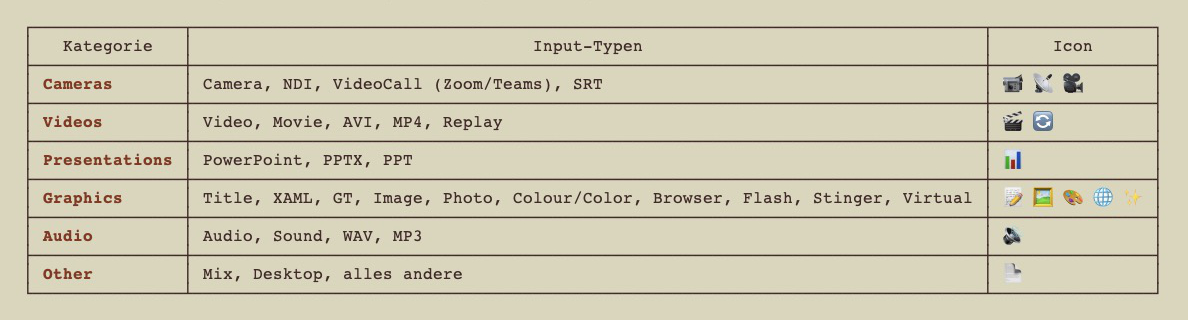
vMix Controls input categories
13vMix Controls — input categories (Cameras, Videos, Audio, Graphics, etc.)

04

Plan Data & Schedules

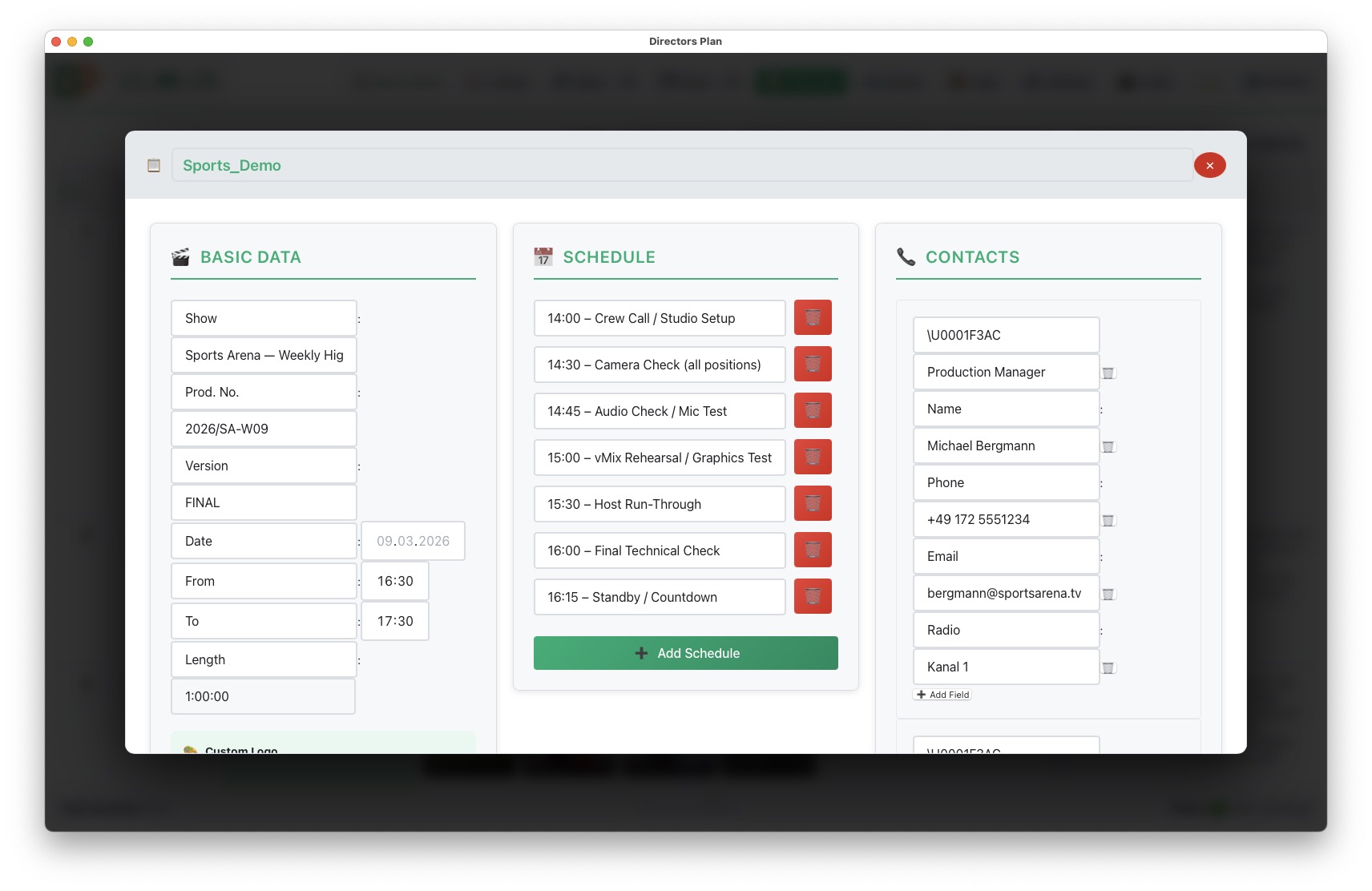
Plan Header dynamic fields
14Plan Header — dynamic fields and contact blocks
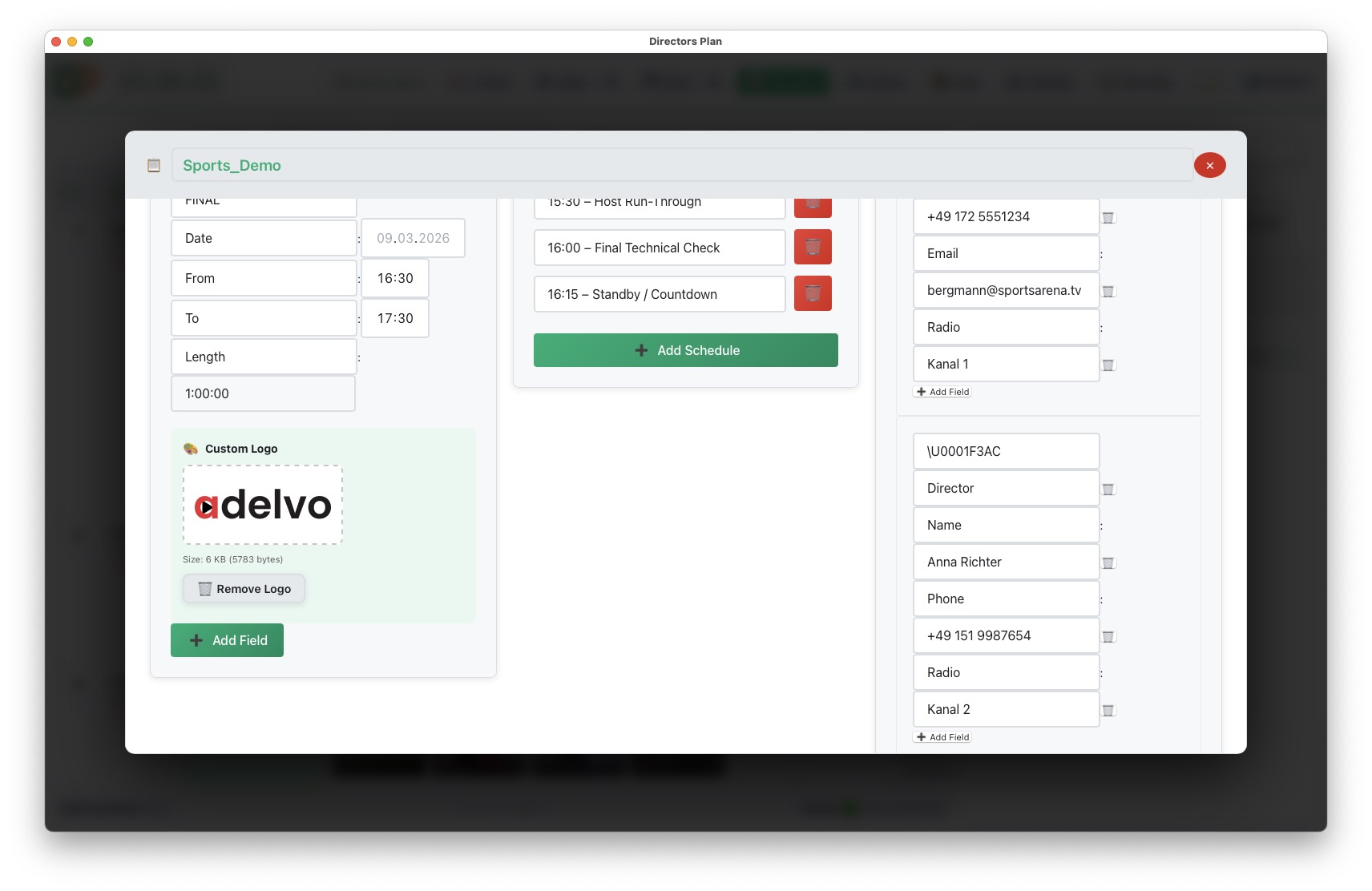
Plan Header with show data and contacts
15Plan Header — show data, contacts, schedule, custom fields, SVG logo
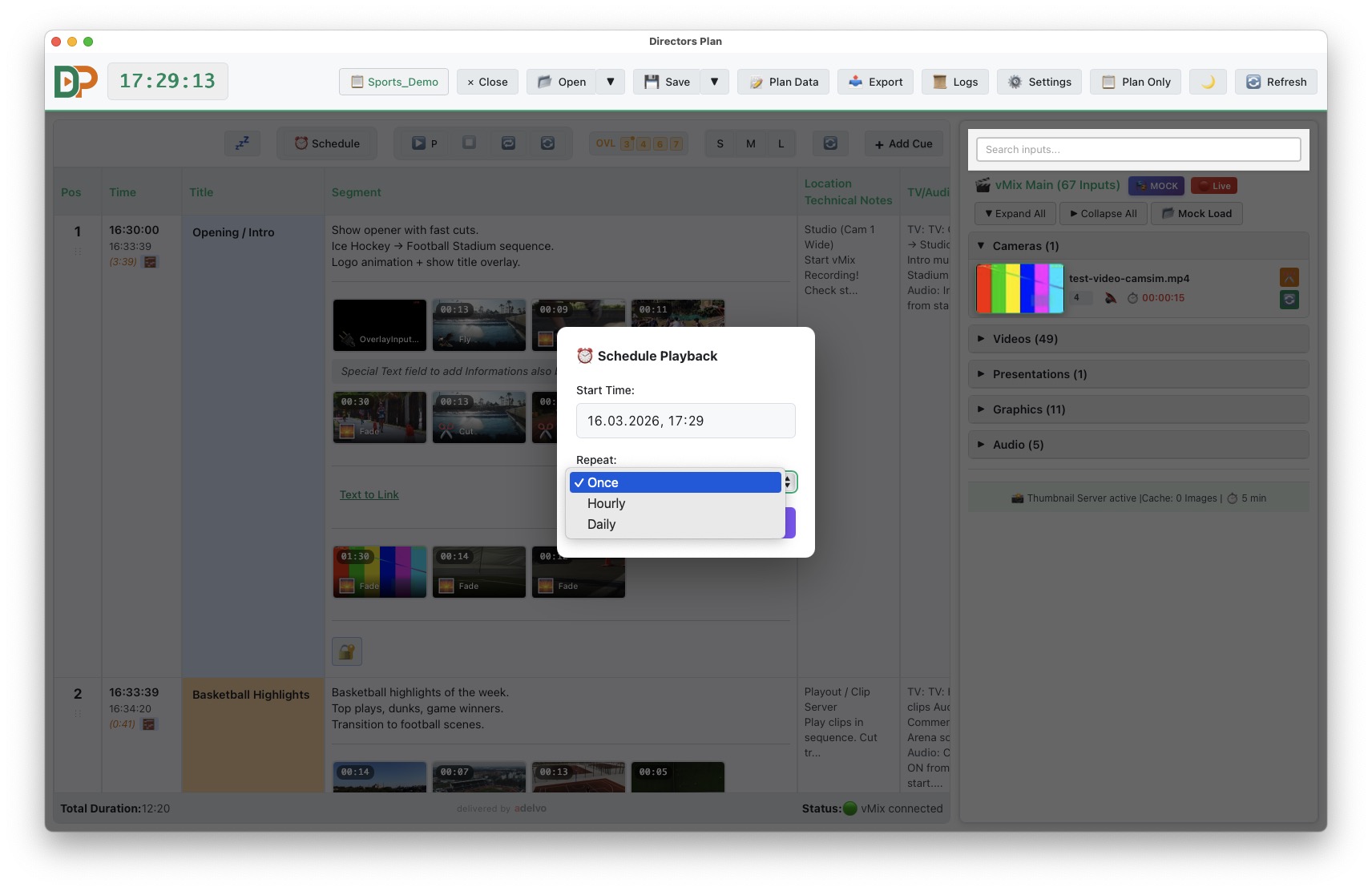
Schedule Editor Daily Weekly Monthly
16Schedule Editor — Daily, Weekly, Monthly (loads actual time and date)
Schedule Editor with time entries
17Schedule Editor — Daily, Weekly, Monthly with time entries
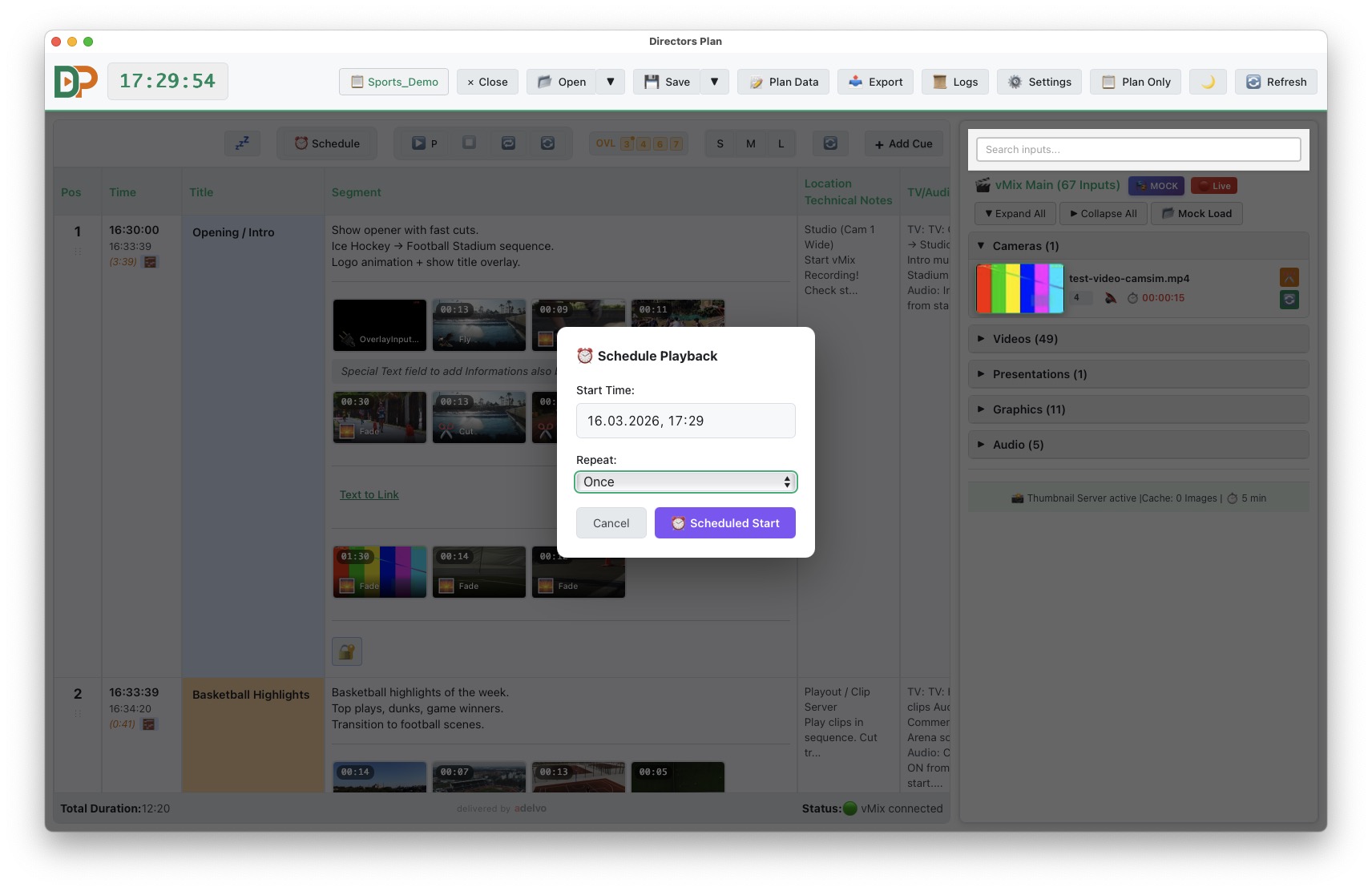
Schedule Countdown
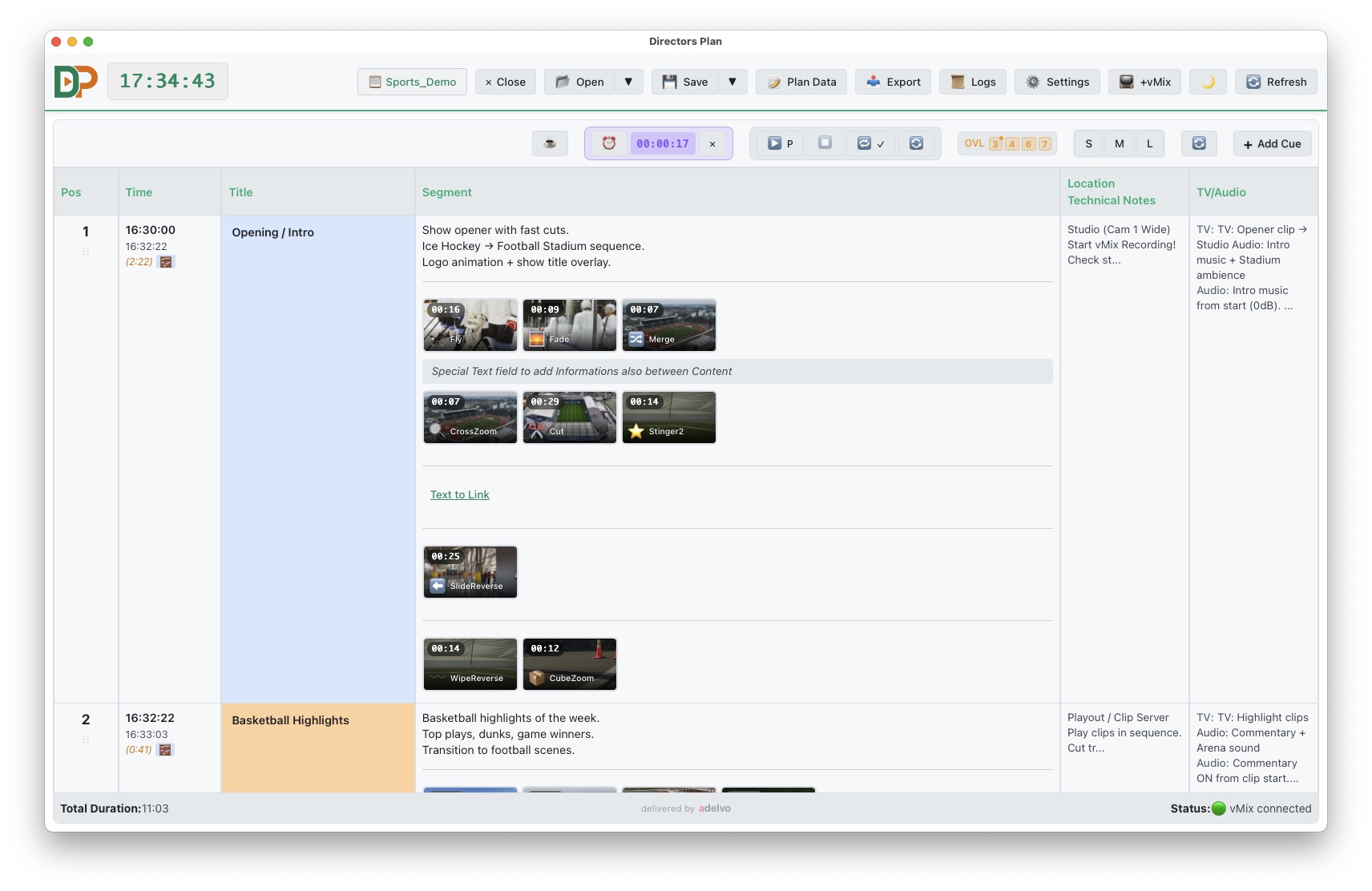
18Schedule Countdown — live countdown to next event

05

Export

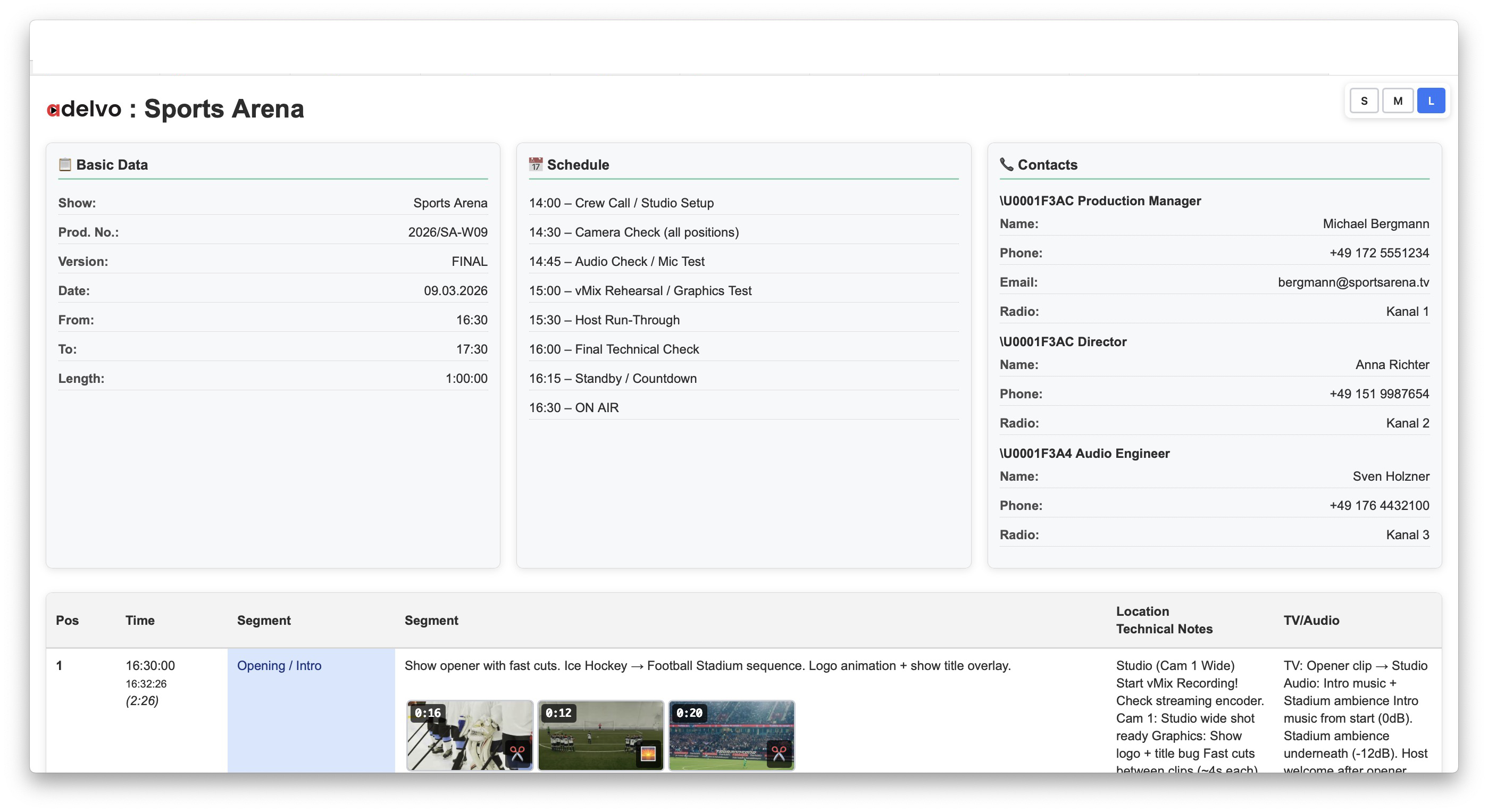
HTML Export with branded logo
19HTML/PDF Export — call sheet with branded logo and thumbnails
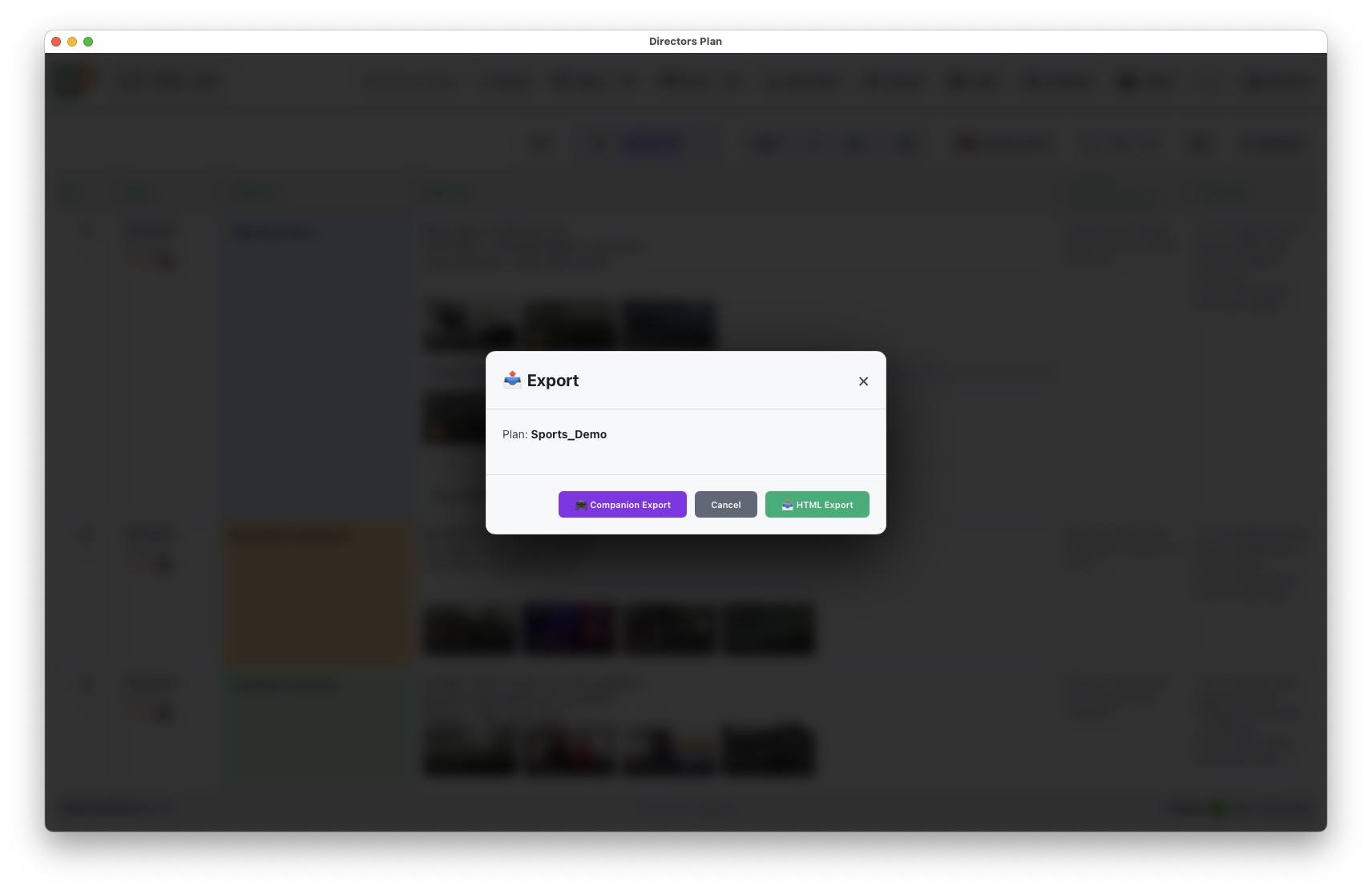
Export Dialog
20Export Dialog — HTML, Companion, Mock export options
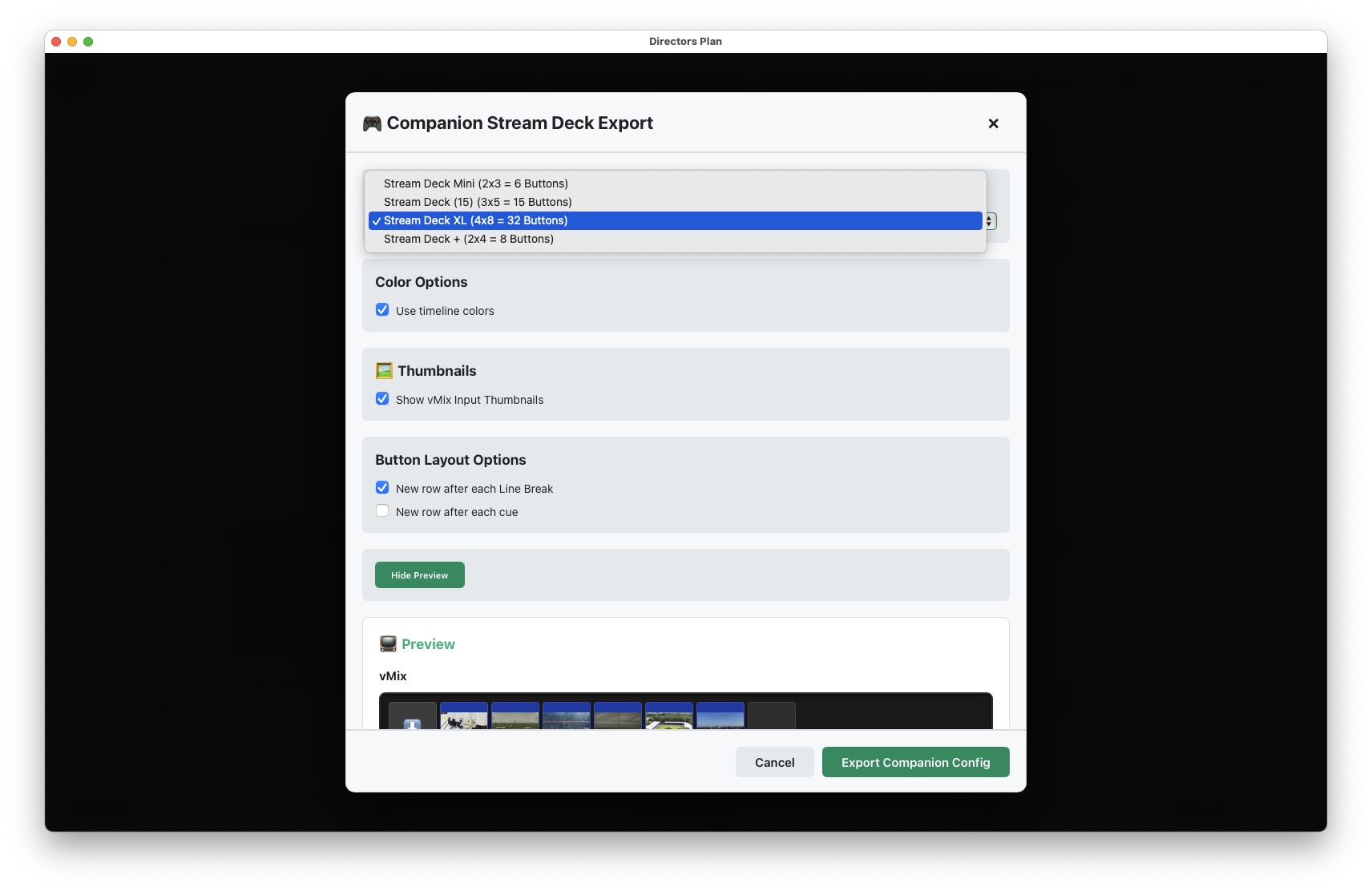
Companion Stream Deck Export settings
21Companion / Stream Deck Export — layout and color settings
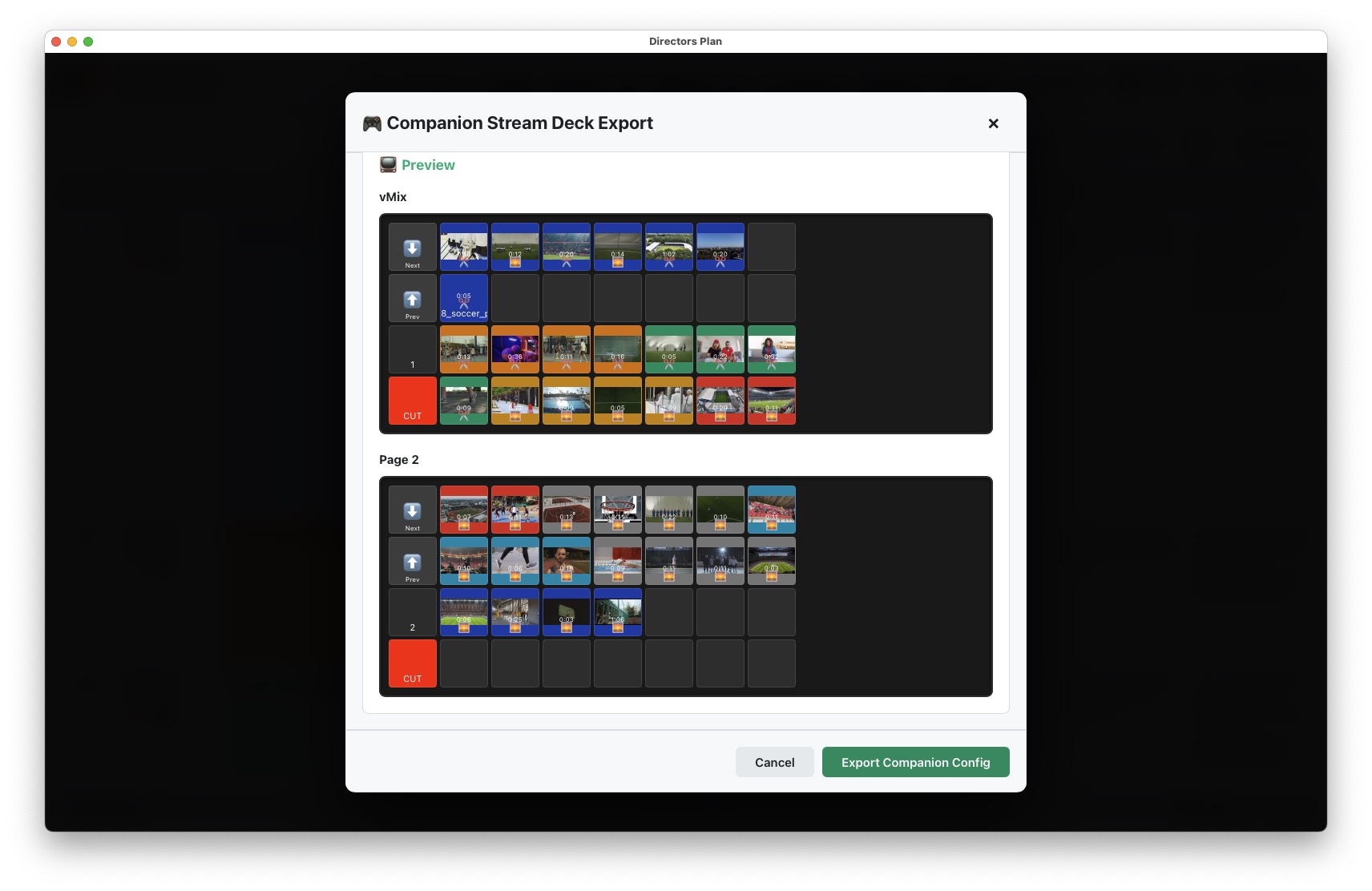
Companion Stream Deck button preview
22Companion / Stream Deck Export — button preview with thumbnails
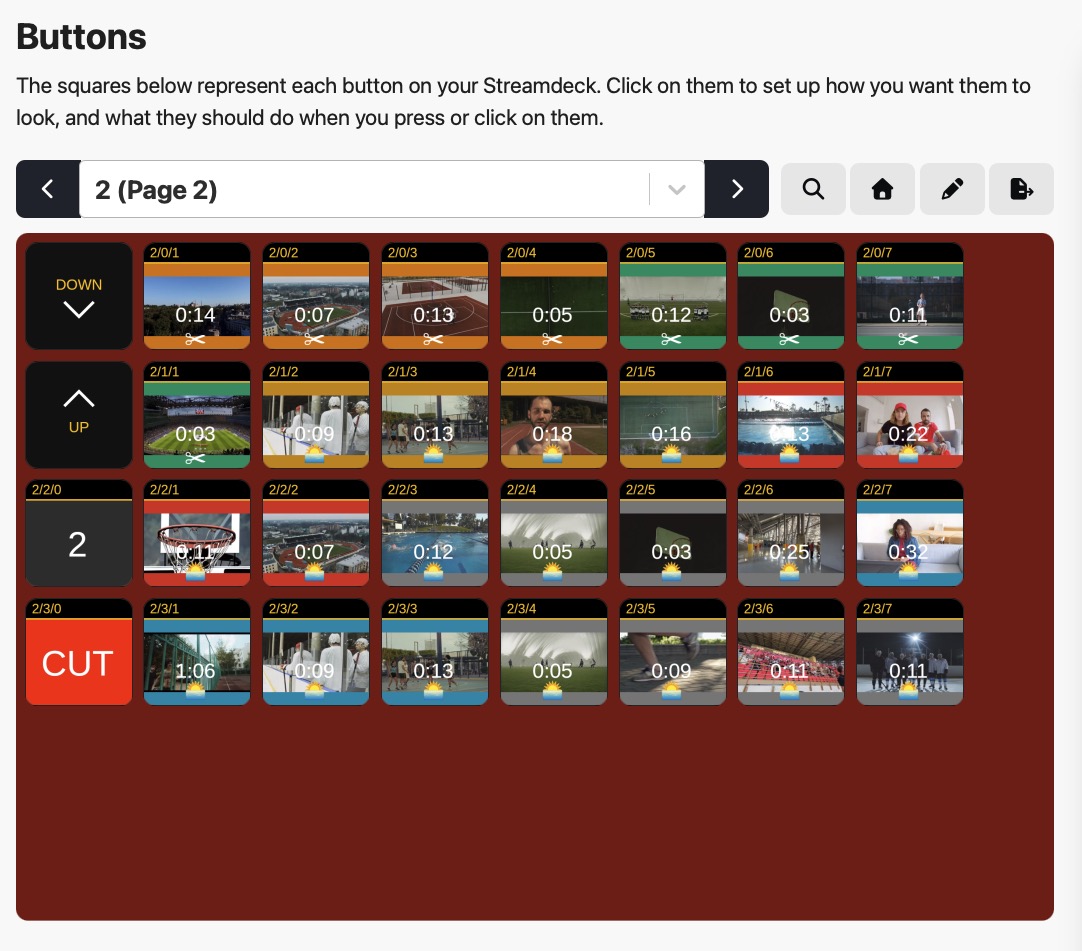
Companion Buttons view with generated Stream Deck pages
23Buttons in Companion — without row-break selected during export
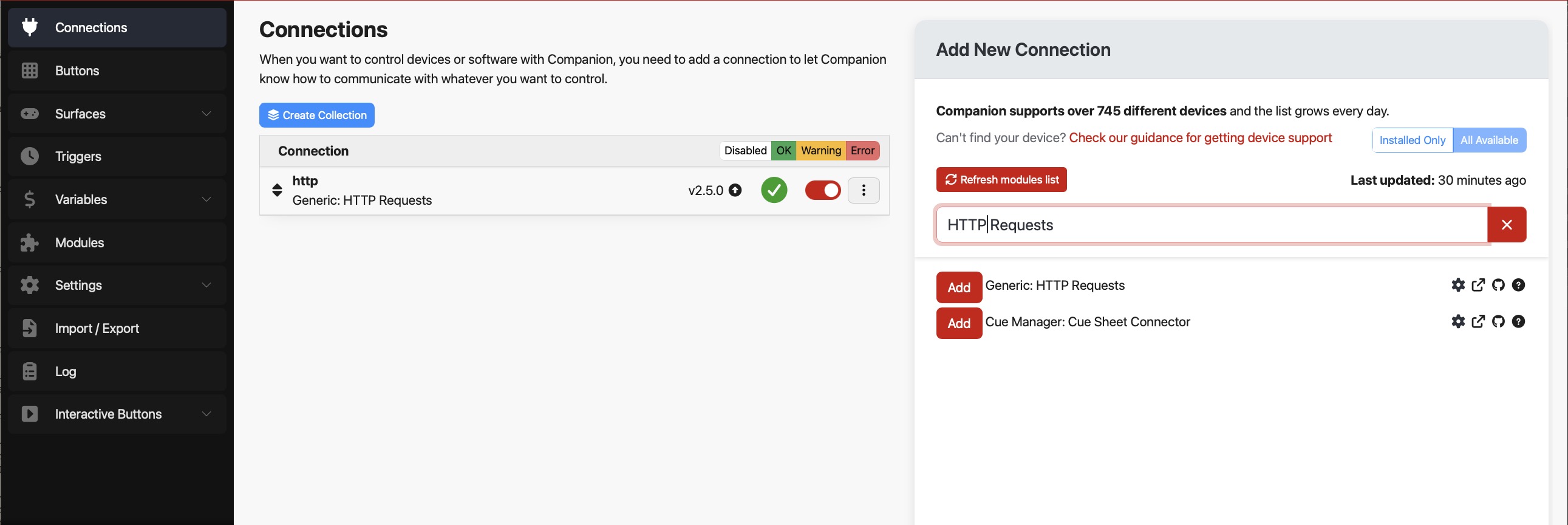
Companion Connections with HTTP Requests module installed
24HTTP Requests unter Connections installieren

06

Settings

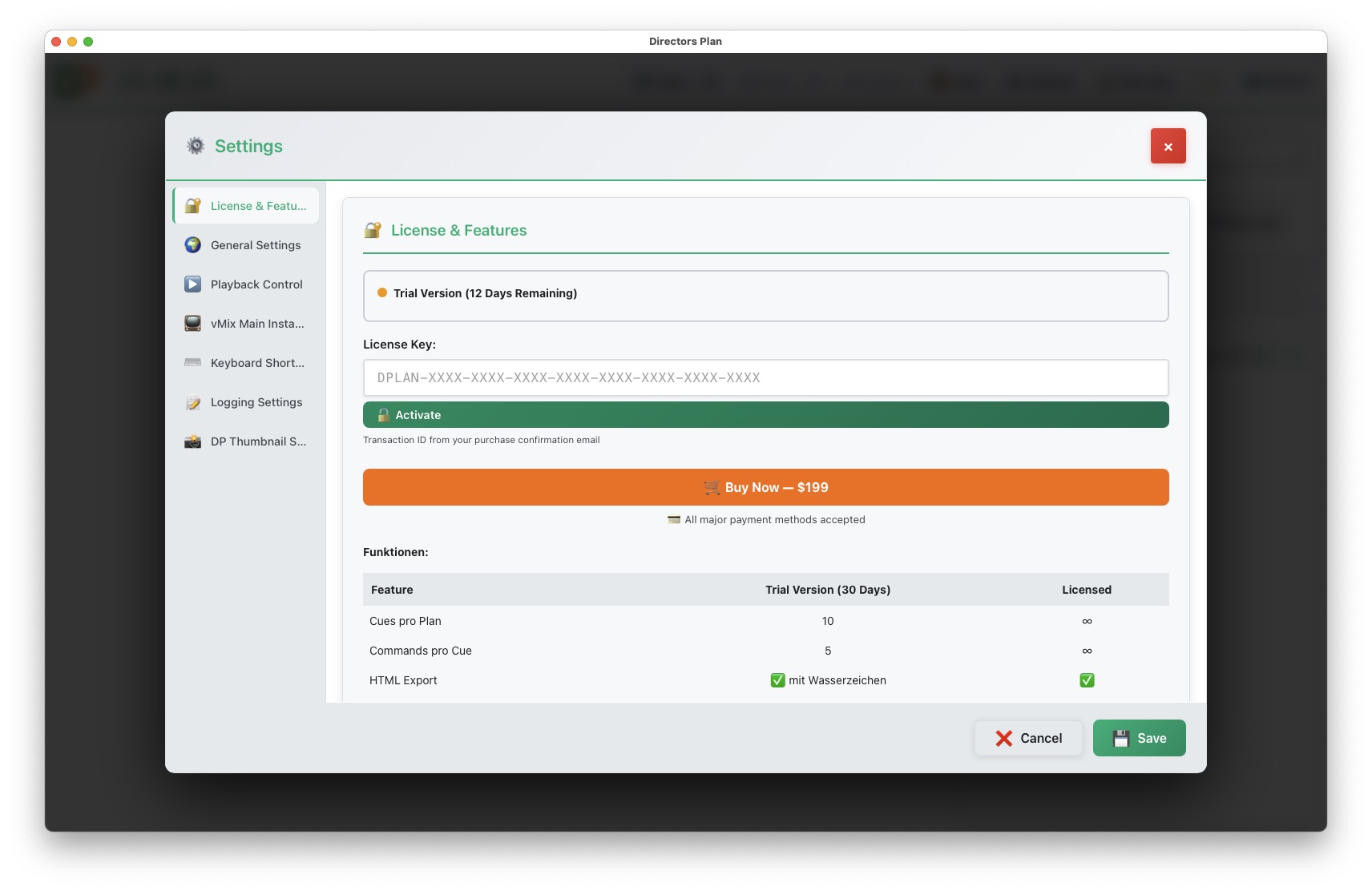
Settings License and Feature List
25Settings — License & Feature List, buy link, trial remaining days
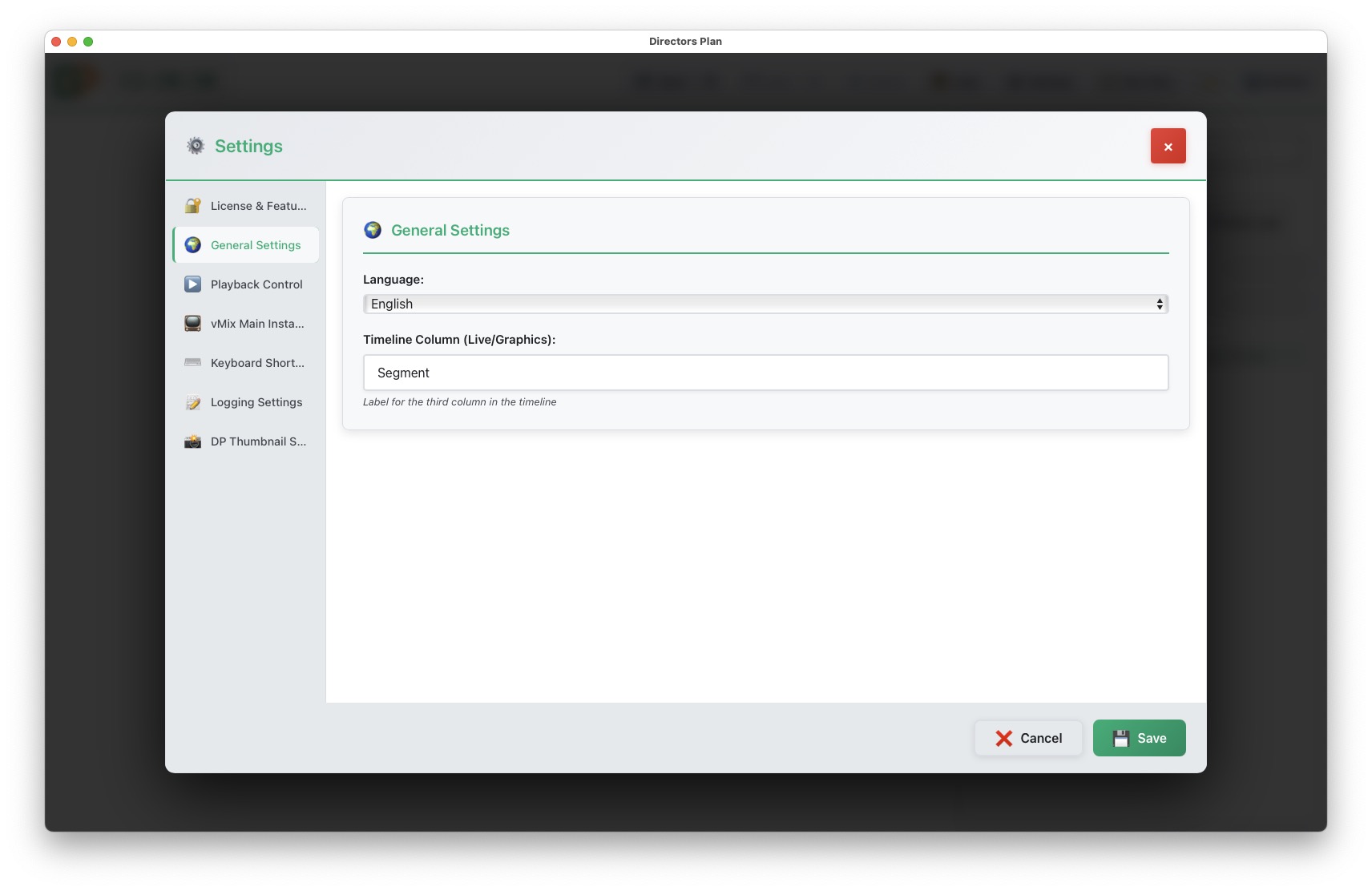
Settings General language and columns
26Settings — General, language & timeline column names
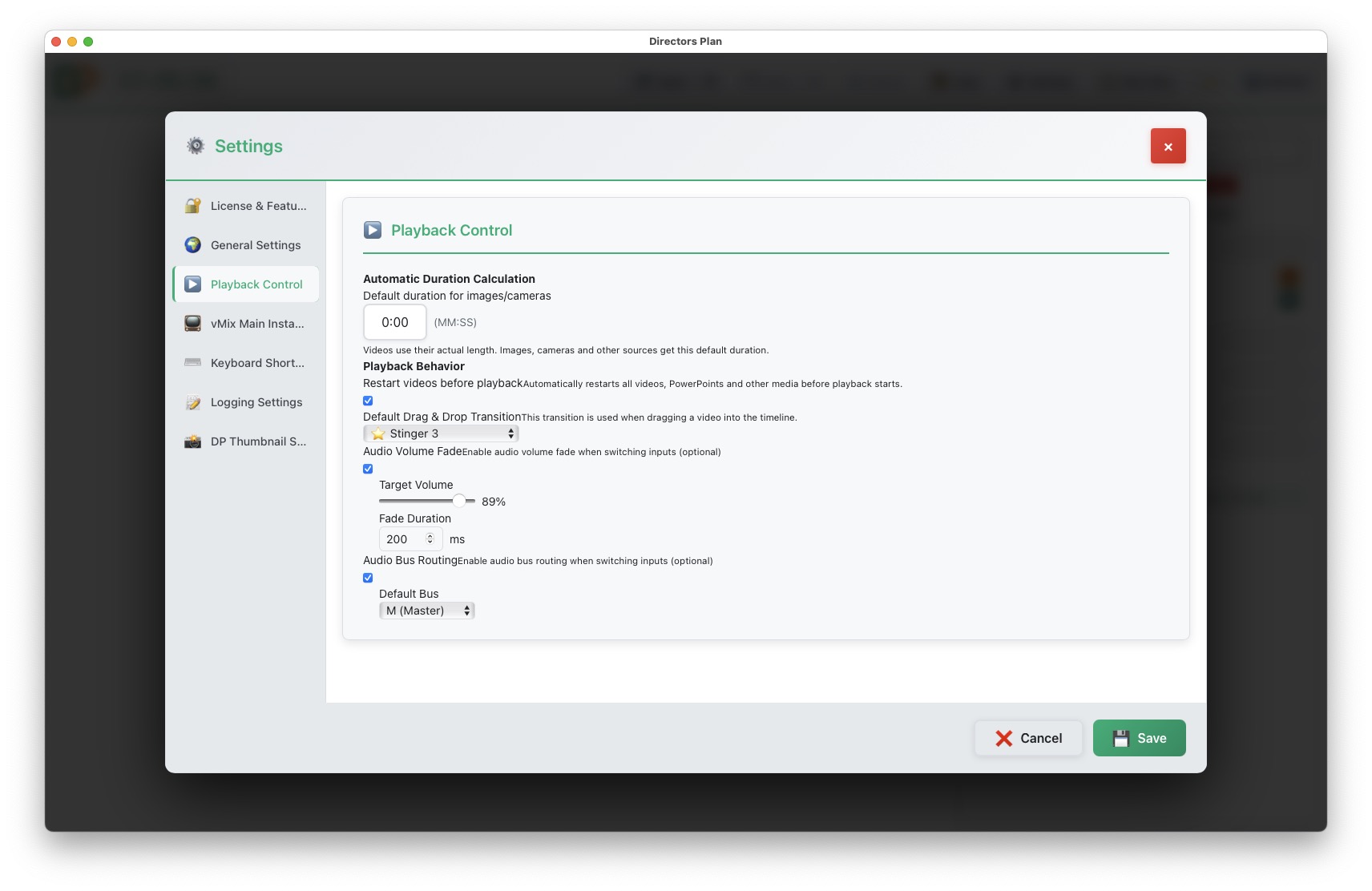
Settings Playback control and audio
25Settings — Playback control, drag & drop transition preset, auto duration, audio presets
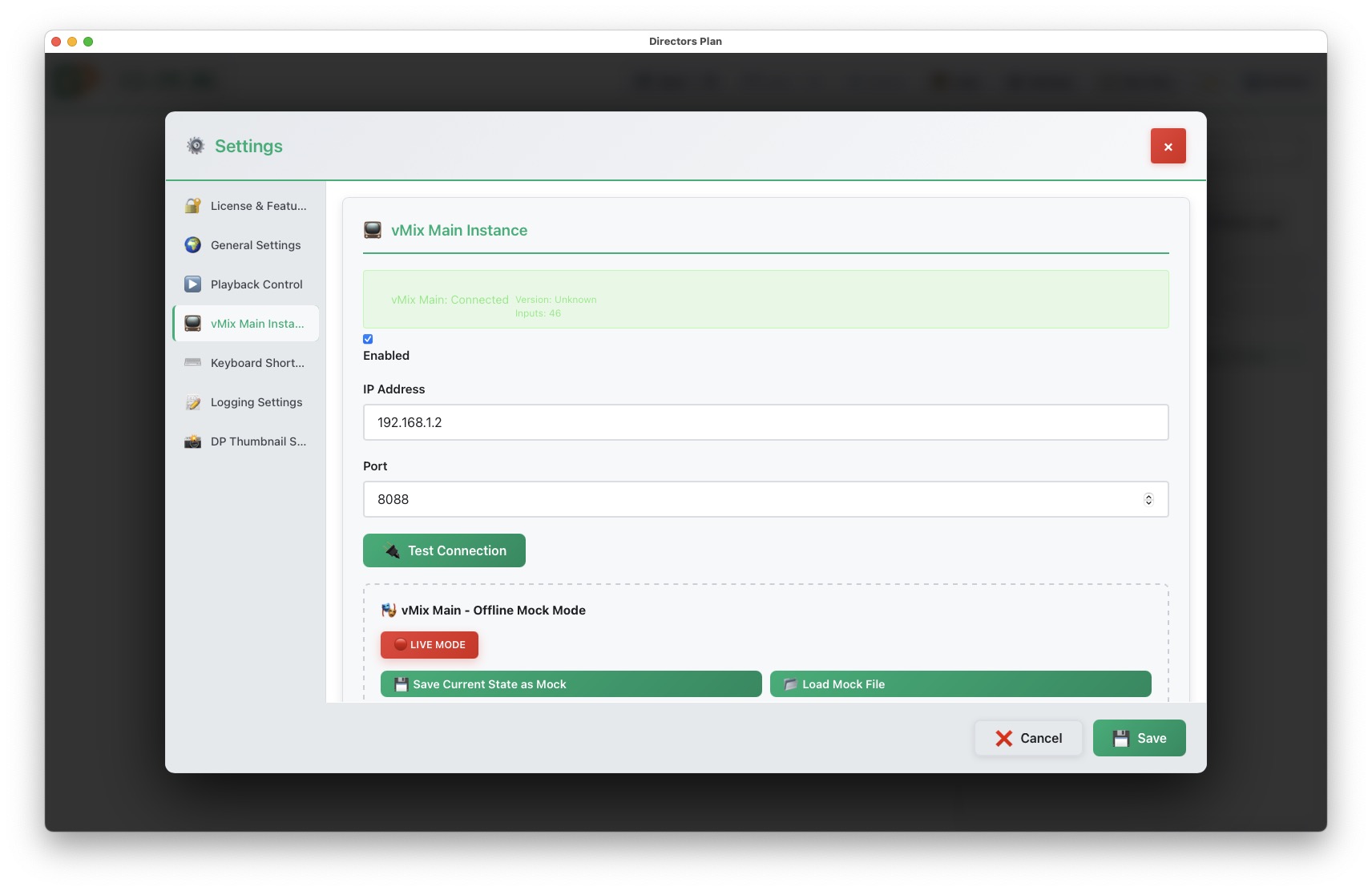
Settings vMix connection and Mock Mode
26Settings — vMix IP, port & Mock Mode (save & load mock files here or in the vMix sidebar)
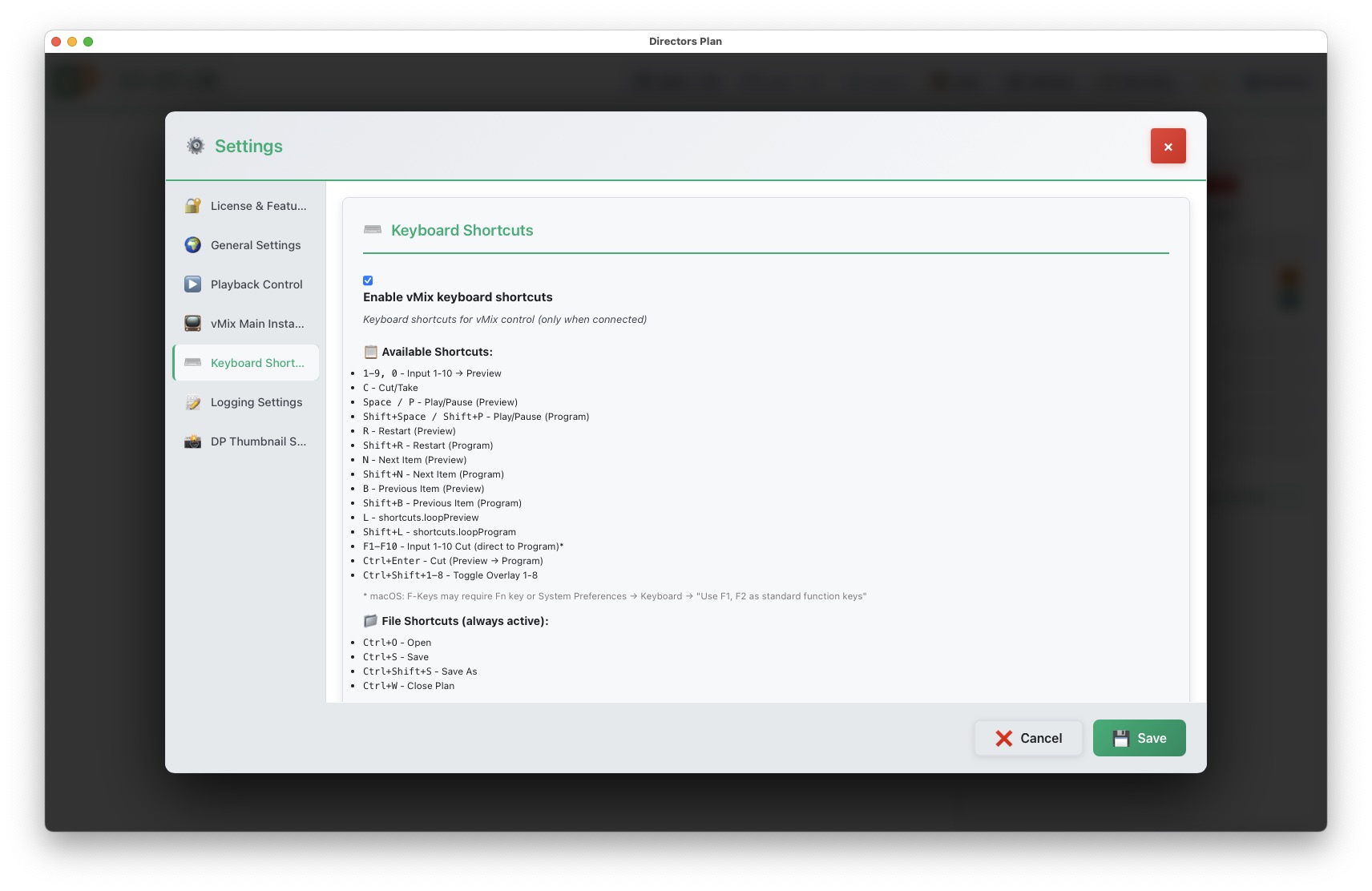
Settings Keyboard shortcuts
27Settings — Keyboard shortcuts
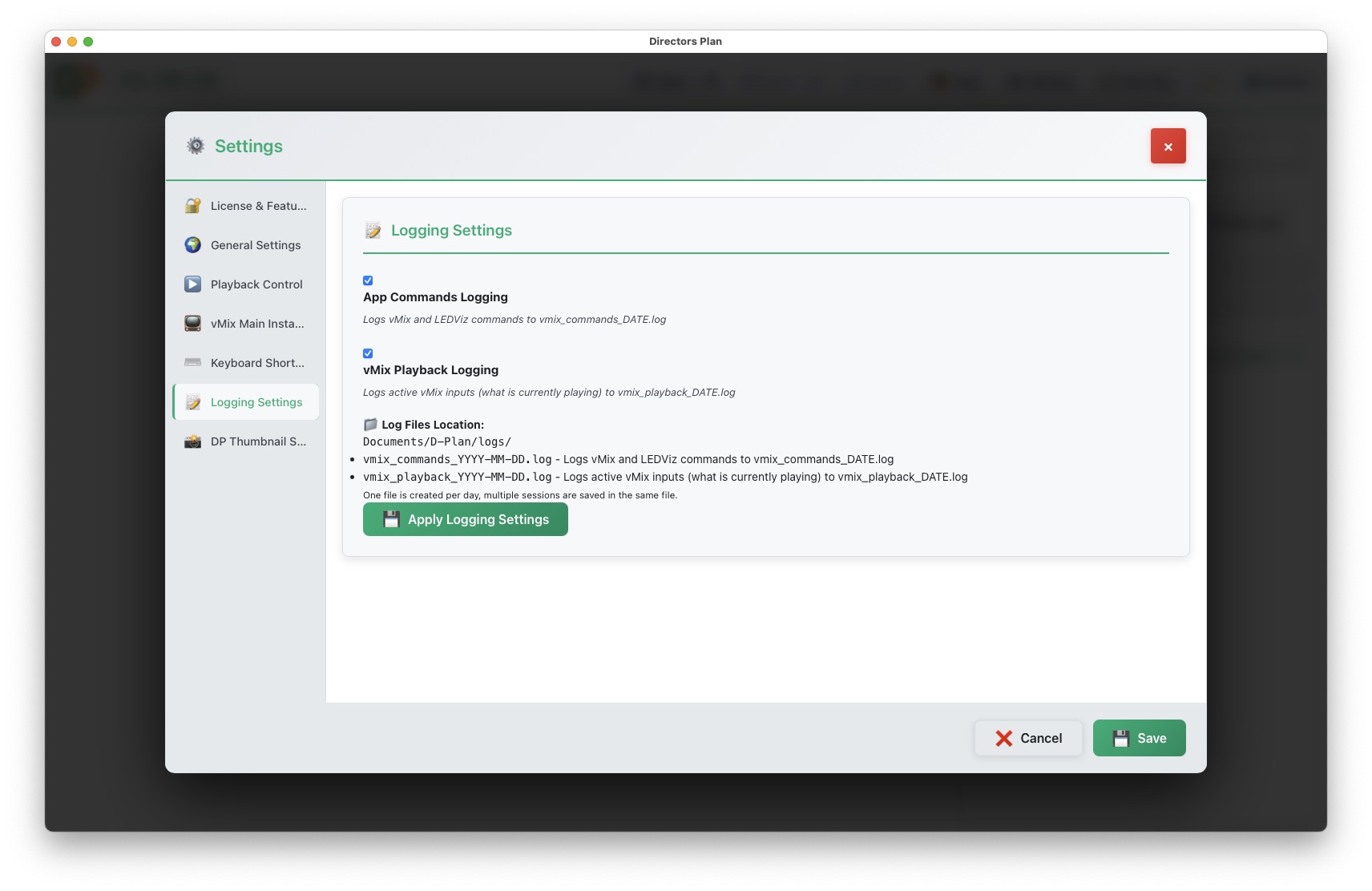
Settings Logging
28Settings — Logging configuration
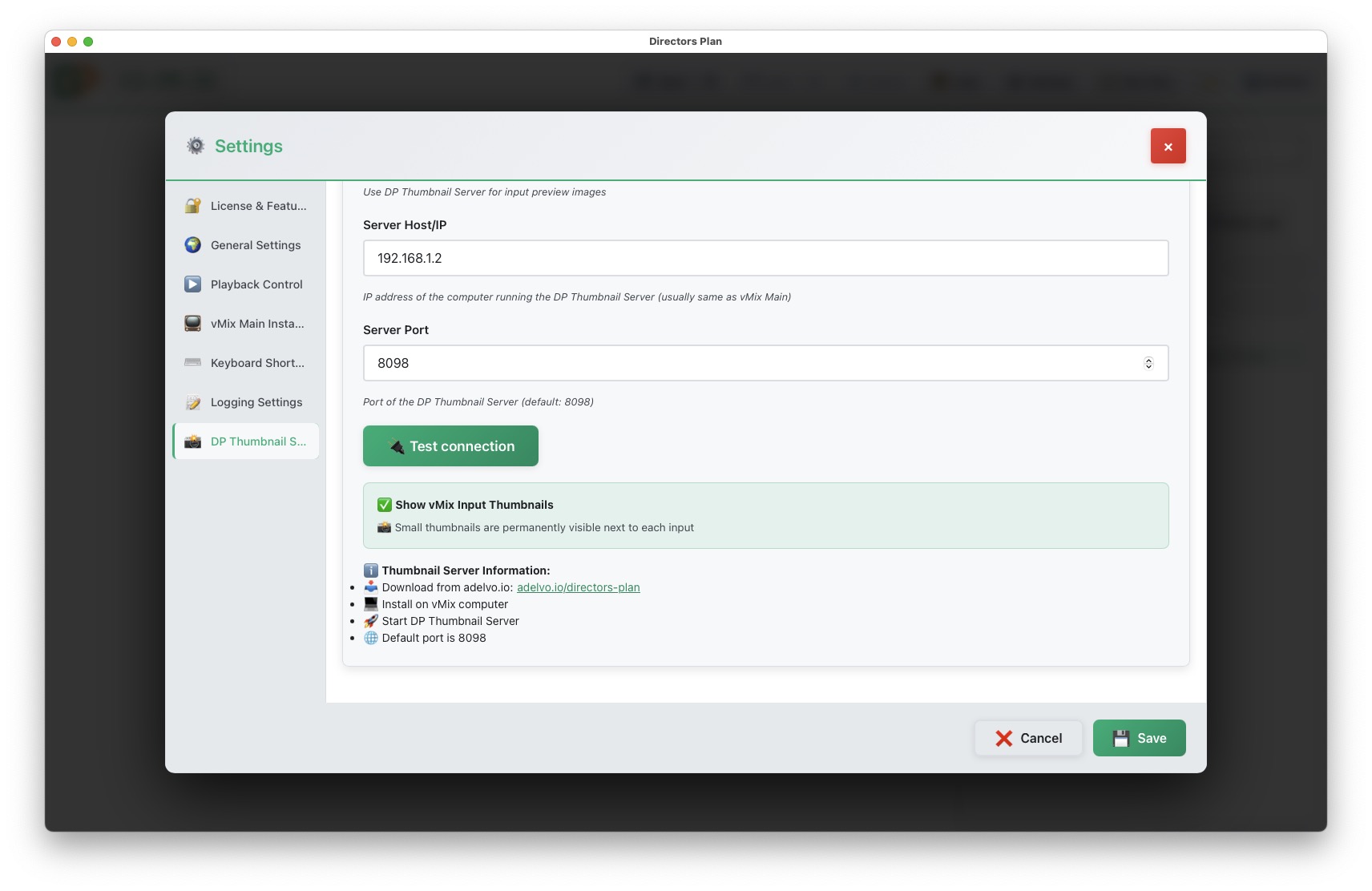
Settings DP Thumbnail Server
29Settings — DP Thumbnail Server IP, port, test & download link

07

Logs

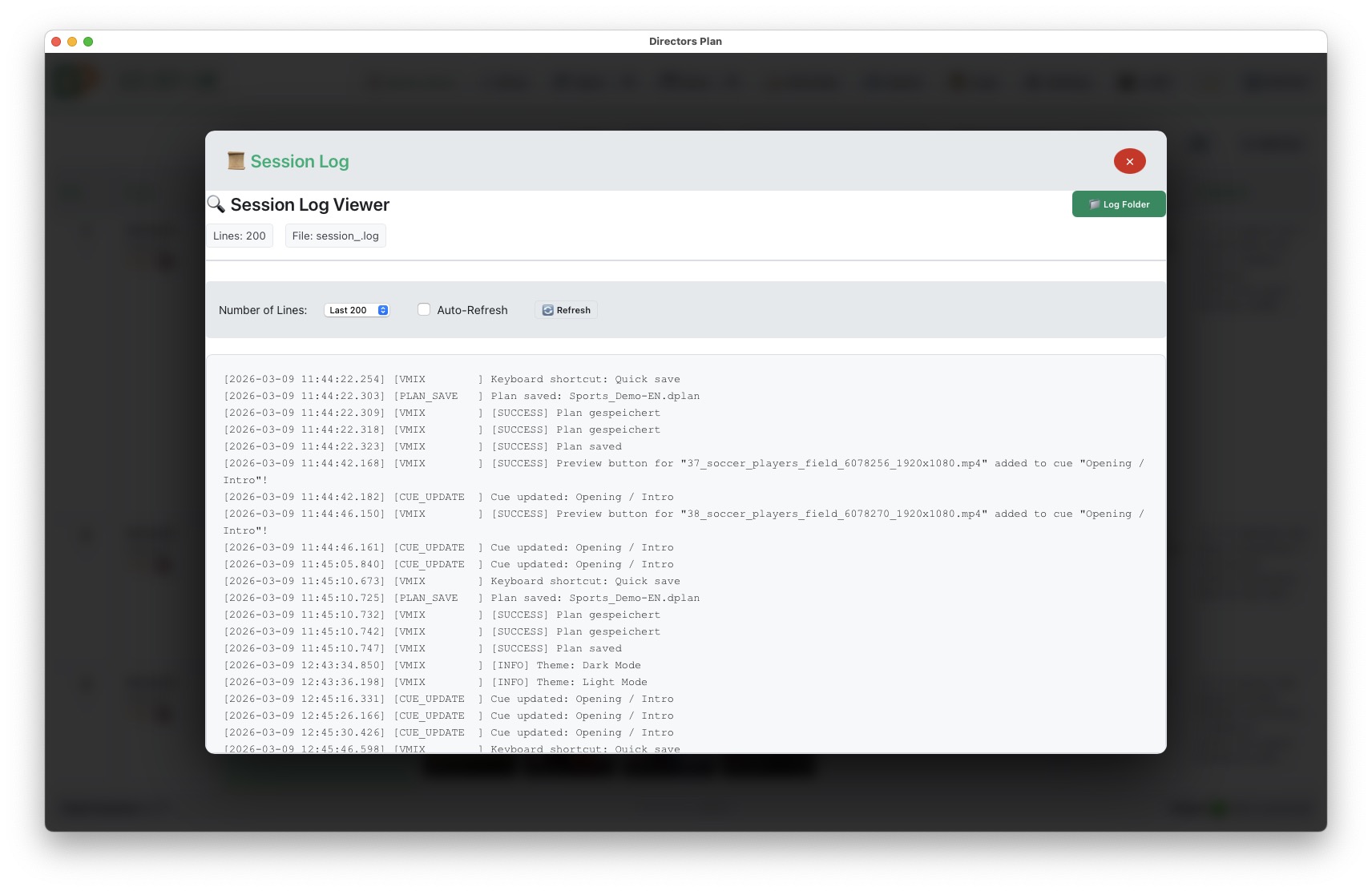
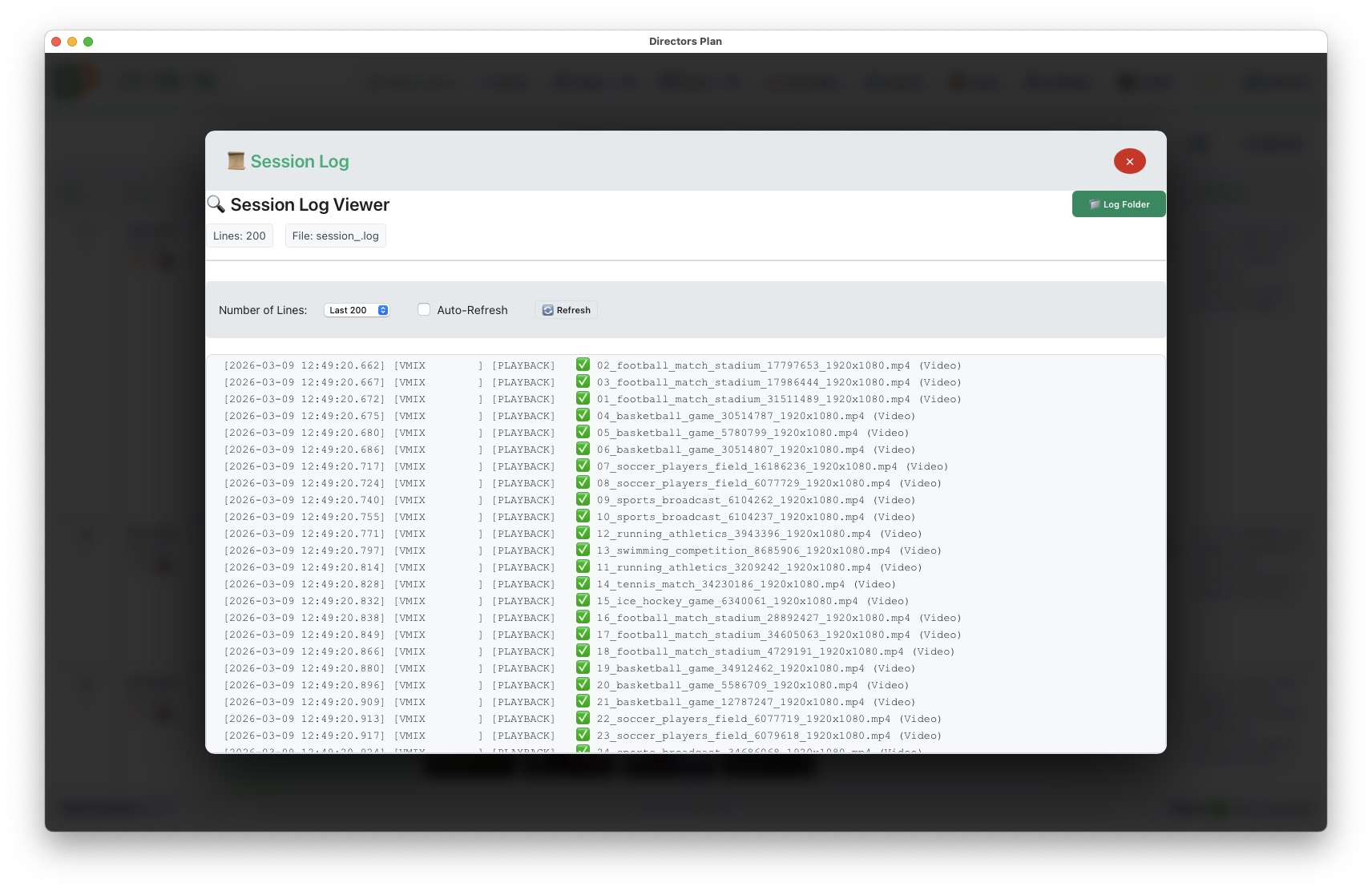
Session Log Viewer
30Session Log Viewer — vMix commands and playback events
Session Log detailed view
31Session Log Viewer — detailed command history
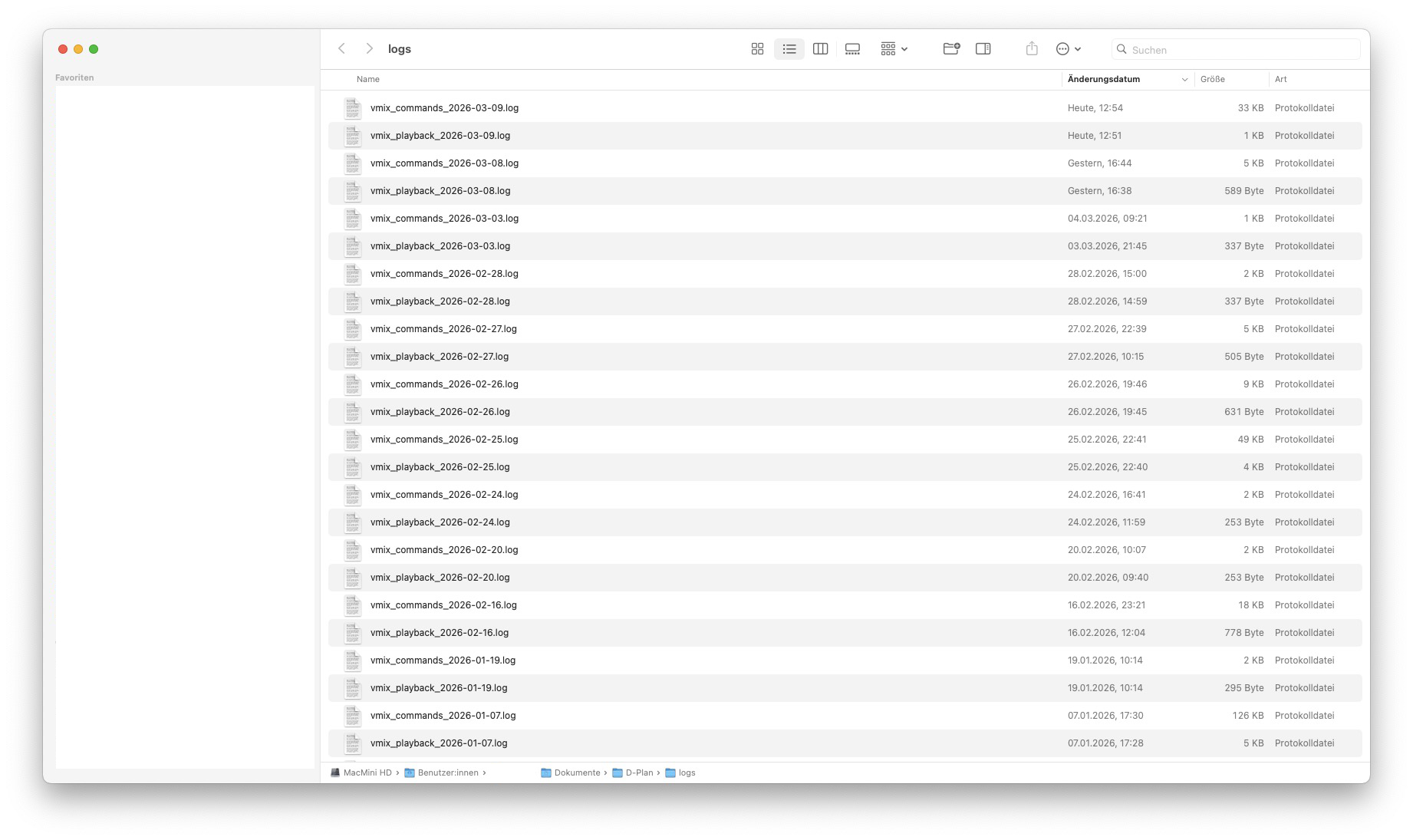
Log folder with daily files
32Log Folder — daily log files with quick access
Adelvo

Professional software tools for live video production, audio routing, and media workflows.

@adelvoio

© 2026 Adelvo. All rights reserved. Directors Plan is a trademark of Adelvo.

Products

Directors Plan for vMix LLT — Local Live Translator LLT Mobile (iOS) MDE — Mix Desk EQ Volume Balance

Resources

Documentation Support Changelog Pricing

Legal

Terms of Service EULA Privacy Policy Refund Policy Legal Notice Impressum Contact
Demo footage and preview clips courtesy of Pexels — free stock videos under the Pexels License.